Employee Time Tracking Software: Complete Guide for Indian Businesses

Employee Time Tracking Software
Employee Time Tracking Software: Complete Guide for Indian Businesses in 2026

Workforce Management Guide 2026

Employee time tracking software helps companies record work hours, attendance, shifts, overtime, field movement, and payroll-ready data from one system. For Indian businesses, it is no longer only a productivity tool. It is a control system for attendance accuracy, payroll discipline, and workforce compliance.

Best ForFactories, offices, field teams, contractors, and multi-location businesses
Main OutcomeAccurate attendance, payroll-ready hours, and cleaner workforce records
Key IntegrationsPayroll, leave, shift scheduling, contractor management, and employee self service

Table of Contents

What Is Employee Time Tracking Software?

Employee time tracking software is a digital system that records how employees spend working hours. It captures punch-in and punch-out time, total hours worked, breaks, overtime, shift hours, late marks, absences, and location-based attendance where required.

In simple terms, it replaces manual registers, Excel sheets, WhatsApp attendance updates, and scattered biometric reports with one centralized system. For businesses that already use attendance tools, time tracking adds deeper visibility into working hours, shift discipline, payroll inputs, and workforce productivity.

A strong employee time tracking system should connect with attendance management software, payroll management software, leave management, and employee self service. Without these integrations, time tracking becomes another isolated tool and creates more manual work for HR.

Why Indian Businesses Need Employee Time Tracking Software

Indian companies often manage mixed workforces. A single business may have office staff, factory workers, sales teams, field service employees, security staff, housekeeping teams, and contract labour. Each group follows different shifts, attendance rules, overtime logic, and approval workflows.

This is where manual tracking starts failing. HR teams lose time correcting attendance, payroll teams struggle with overtime calculations, managers approve incomplete records, and employees raise salary disputes because the source data is unclear.

Payroll Accuracy

Verified hours reduce salary errors, overtime disputes, and manual correction work.

Shift Discipline

Managers can monitor shift start time, late coming, early leaving, and missed punches.

Field Visibility

GPS and geofencing help validate attendance for employees working outside the office.

Compliance Records

Clean attendance and work-hour data supports audits, labour records, and internal reviews.

Key Features of Employee Time Tracking Software

Do not select time tracking software only because it records working hours. For serious business use, the system must support your HR, payroll, attendance, and compliance workflows.

Feature What It Does Business Benefit
Biometric AttendanceCaptures employee punch-in and punch-out data from biometric devices.Improves attendance reliability for offices, plants, and factories.
Mobile Attendance AppAllows employees to mark attendance from mobile devices.Useful for field employees, sales teams, and remote staff.
GPS and GeofencingValidates attendance based on approved locations.Prevents false attendance and improves field workforce control.
Shift ManagementMaps employees to fixed, rotational, or flexible shifts.Helps factories, hospitals, hotels, and service teams manage rosters.
Overtime CalculationTracks extra working hours based on company rules.Reduces payroll disputes and manual overtime errors.
Payroll IntegrationSends approved attendance and time data to payroll.Speeds up salary processing and reduces rework.
Reports and AnalyticsShows work hours, absenteeism, late marks, overtime, and department trends.Gives management better workforce visibility.

Employee Time Tracking Software vs Attendance Management Software

Many businesses use these terms as if they mean the same thing. That is a mistake. Attendance software confirms whether an employee was present. Time tracking software explains how many hours were worked, where the employee worked, whether overtime was created, and whether the data is ready for payroll.

PointAttendance SoftwareEmployee Time Tracking Software
Main PurposeTracks presence, absence, late marks, and leave.Tracks total working hours, overtime, shifts, location, and payroll inputs.
Best ForBasic HR attendance records.Businesses needing payroll accuracy, workforce control, and productivity visibility.
Payroll LinkMay need manual preparation.Should directly support payroll-ready attendance and work-hour data.
Management ValueBasic attendance visibility.Better control over hours, labour cost, productivity, and compliance.

If your requirement is only daily presence tracking, start with attendance management. If your payroll, overtime, shifts, and labour cost depend on accurate work-hour data, you need employee time tracking software connected to your HRMS.

Where Employee Time Tracking Software Creates Maximum Value

Manufacturing Companies

Factories need strict shift tracking, overtime control, contractor attendance, and payroll-ready attendance records. Time tracking helps reduce leakage caused by missed punches, duplicate entries, and manual overtime approvals.

Field Workforce

Sales, service, delivery, and maintenance teams need mobile attendance, GPS validation, and location-based punch records. This gives managers better visibility without constant follow-up calls.

Contract Labour

Businesses using contractors need accurate labour attendance, vendor-wise reports, statutory records, and payroll support. InSyPay connects this with contract labour management.

Multi-Location Businesses

When teams work across branches, sites, plants, warehouses, or client locations, centralized time tracking gives head office one reliable view of workforce availability and labour hours.

How Employee Time Tracking Improves Payroll Accuracy

Payroll errors rarely begin inside payroll. They usually begin with bad attendance data. If late marks, overtime, weekly offs, leave, holidays, and shift hours are not calculated properly, salary processing becomes a correction exercise.

Employee time tracking software gives payroll teams verified inputs before salary processing starts. It reduces dependency on manual Excel files, supervisor notes, and backdated corrections.

See Payroll Management Software

How to Choose the Right Employee Time Tracking Software

Do not buy time tracking software only by comparing feature lists. The correct software depends on your workforce type, payroll rules, approval process, and reporting needs.

  • Check whether it supports biometric, mobile, GPS, and geofenced attendance.
  • Confirm that shift rules, late marks, early leaving, overtime, and weekly offs can be configured.
  • Ensure it integrates with payroll instead of forcing monthly Excel uploads.
  • Check whether employees can view attendance, apply leave, and raise corrections through self service.
  • Review reporting by branch, department, contractor, vendor, location, and employee category.
  • Avoid tools that focus only on screenshots and productivity surveillance if your real need is HR, attendance, payroll, and compliance.
  • Prefer software that can scale from office employees to contract labour and multi-location workforce management.

Common Mistakes Companies Make

Mistake 1: Buying a freelancer toolMany global time tracking tools are built for freelancers and agencies. They may not solve Indian attendance, payroll, shift, and compliance needs.
Mistake 2: Ignoring payroll integrationIf attendance data still needs Excel preparation, the software has not solved the core operational problem.
Mistake 3: Not checking contractor supportCompanies with contract labour need vendor-wise records, labour attendance, and compliance-friendly reporting.

Why InSyPay Is a Practical Choice for Indian Businesses

InSyPay is built for companies that need more than a timer. It connects time tracking with HRMS, attendance, payroll, employee self service, leave, and contract labour management. This is important because Indian businesses do not only need to know how many hours employees worked. They need accurate salary processing, attendance approvals, workforce records, and management visibility.

Attendance LinkedConnect employee time records with real attendance workflows.
Payroll ReadyUse verified attendance and hour data for faster salary processing.
Contract Labour SupportManage contractor attendance, vendor workforce, and labour records.
Employee Self ServiceEmployees can access attendance data and reduce HR follow-ups.

For a broader system, explore human resource management software in India and InSyPay’s complete HRMS features.

Frequently Asked Questions

What is employee time tracking software?

Employee time tracking software records employee work hours, attendance, overtime, shift hours, and location-based attendance where required. It helps HR and payroll teams work with accurate workforce data.

How does employee time tracking software work?

Employees mark attendance through biometric devices, mobile apps, web login, or approved attendance points. The software processes working hours, late marks, leave, overtime, and shift data according to company rules.

Can employee time tracking software integrate with payroll?

Yes. The best systems integrate with payroll so approved attendance, overtime, absence, and shift data can be used directly for salary processing.

Is employee time tracking useful for contract labour?

Yes. It helps track contractor attendance, site-wise labour deployment, vendor-wise workforce data, and payroll or compliance records for contract workers.

What is the difference between time tracking and attendance tracking?

Attendance tracking confirms whether an employee was present or absent. Time tracking measures the actual working hours, overtime, shift time, and payroll-ready work-hour data.

Ready to Control Employee Time, Attendance, and Payroll from One HRMS?

InSyPay helps Indian businesses manage employee attendance, time tracking, payroll, leave, employee self service, and contract labour from a connected HRMS platform.

Human Resource Management Software India: Complete HRMS Buyer’s Guide for Growing Businesses in 2026

Human Resource Management Software India | Best HRMS Solutions 2026

HRMS Buyer’s Guide 2026

A practical guide to choosing HRMS software for payroll, attendance, compliance, workforce automation, and operational control in Indian businesses.

Managing employees manually is becoming increasingly difficult for Indian businesses. As organizations grow, HR teams often struggle with payroll processing, attendance tracking, compliance management, shift scheduling, employee records, and workforce visibility across multiple locations.

This is why businesses across manufacturing, logistics, retail, hospitality, IT, and service industries are rapidly adopting Human Resource Management Software (HRMS).

Modern HRMS software helps organizations automate payroll, simplify attendance management, reduce compliance risks, and improve overall workforce productivity.

In this guide, we will explore:

  • What human resource management software is
  • Why Indian companies are moving away from Excel-based HR processes
  • Key features businesses should look for
  • Best HRMS software options in India
  • Pricing considerations
  • How to choose the right HR software for your business
  • Why workforce-heavy companies require operational HRMS solutions

What Is Human Resource Management Software?

Human Resource Management Software (HRMS) is a digital platform that helps businesses automate and manage HR operations such as:

Instead of managing HR operations through Excel sheets, emails, and manual paperwork, HRMS software centralizes all employee-related information into one system.

For Indian businesses, HRMS software has become critical due to increasing workforce complexity, labour law compliance requirements, multi-location operations, and payroll accuracy demands.

Why Indian Businesses Are Moving From Excel to HRMS Software

Many SMEs and mid-sized companies still rely on Excel spreadsheets for HR operations. While this may work temporarily for small teams, it creates major operational problems as the workforce grows.

Common Problems With Manual HR Processes

Payroll Errors

Manual salary calculations often lead to:

  • incorrect deductions
  • overtime calculation mistakes
  • wrong leave adjustments
  • PF and ESIC errors
  • delayed salary processing

Even small payroll mistakes can impact employee trust and create compliance issues.

Attendance Mismatch

Businesses managing:

  • factory workers
  • contract labour
  • multiple shifts
  • field employees
  • remote teams

often struggle with attendance reconciliation.

Manual attendance systems create:

  • buddy punching
  • fake overtime claims
  • missing attendance records
  • shift confusion

Compliance Risks

Indian labour compliance requirements are becoming stricter.

Organizations must regularly manage:

  • PF
  • ESIC
  • PT
  • TDS
  • labour laws
  • statutory filings

Manual compliance handling increases the risk of:

  • penalties
  • audit failures
  • delayed filings

Lack of Workforce Visibility

Without centralized HR software, management teams often lack visibility into:

  • employee productivity
  • attendance patterns
  • overtime costs
  • leave trends
  • contractor workforce data

This affects operational planning and cost control.

Key Features to Look for in Human Resource Management Software India

Choosing the right HRMS software is not only about features. Businesses should evaluate whether the software can handle operational workforce requirements efficiently.

1. Payroll Management

Payroll is one of the most critical HR functions.

Good payroll software should support:

  • automated salary calculation
  • overtime calculation
  • shift-based payroll
  • bonus management
  • arrears
  • full & final settlement
  • statutory deductions
  • payroll reports

For Indian companies, payroll compliance accuracy is extremely important.

2. Attendance Management

Modern attendance systems should support:

  • biometric integration
  • mobile attendance
  • geo attendance
  • shift management
  • overtime tracking
  • attendance regularization

Businesses with workforce-heavy operations require real-time attendance visibility.

3. Leave Management

An efficient leave management system helps automate:

  • leave applications
  • approvals
  • leave balance calculation
  • holiday calendars
  • leave encashment

This reduces manual coordination between employees and HR teams.

4. Employee Self-Service (ESS)

Employee Self-Service portals allow employees to:

  • download payslips
  • apply for leave
  • mark attendance
  • update personal details
  • access HR documents

This significantly reduces HR administrative workload.

5. Compliance Management

Compliance management features help businesses manage:

  • PF
  • ESIC
  • PT
  • TDS
  • labour compliance
  • statutory reporting

Automated compliance reduces legal and financial risks.

6. Recruitment & Onboarding

HRMS software should simplify:

  • candidate tracking
  • interview scheduling
  • offer management
  • onboarding documentation
  • employee induction

This improves hiring efficiency.

7. Appraisal & Performance Management

Performance modules help organizations:

  • conduct reviews
  • define KPIs
  • manage appraisals
  • track employee goals

This improves workforce performance management.

8. Mobile Accessibility

Modern HRMS software should provide mobile access for:

  • attendance
  • approvals
  • leave requests
  • payslip access
  • employee communication

Mobile HRMS platforms are especially important for field teams and remote workforce management.

Best Human Resource Management Software in India

Below is a comparison of popular HRMS software solutions available in India.

HR Software Founded Pricing (Starting) Avg. Rating Best For
InSyPay HRMS2014₹70/user/month4.4SMEs to Enterprises
Zoho People2008₹48/user/month (billed annually)4.3SMEs to Enterprises
Darwinbox2015Custom Pricing3.9Mid to Large Enterprises
Keka HR2015₹6,999/month (up to 100 employees)4.3SMEs to Enterprises
ZingHR2014Custom Pricing4.7Large Enterprises
greytHR1994₹50/month (up to 50 employees)4.3SMEs to Enterprises
Pocket HRMS2013₹60/user/month4.0SMEs & Mid-sized
PeopleHum2015$2/user/month4.3SMEs to Enterprises
HROne2016₹4950/month4.2SMEs to Mid-market
Quikchex2019₹4500/month4.1SMEs & Startups

Human Resource Management Software for Manufacturing Companies

Manufacturing companies face unique workforce management challenges.

Unlike standard office-based operations, manufacturing businesses must manage:

  • multiple shifts
  • overtime
  • contractor labour
  • biometric attendance
  • compliance-heavy payroll
  • workforce tracking
  • production-linked manpower planning

This makes operational HRMS capabilities extremely important.

For a deeper industry-specific guide, read Best HRMS Software for Manufacturing Companies in India.

Key Manufacturing HR Challenges

Shift Management Complexity

Factories often run:

  • day shifts
  • night shifts
  • rotational shifts

Manual shift tracking creates payroll discrepancies and attendance conflicts.

Contractor Workforce Management

Manufacturing businesses frequently employ:

  • contract labour
  • temporary workers
  • seasonal workforce

Managing contractor attendance and wage calculations manually becomes difficult at scale.

Payroll Accuracy

Factory payroll often includes:

  • overtime
  • attendance incentives
  • shift allowances
  • production-linked incentives

HRMS software helps automate these calculations.

Compliance Management

Manufacturing companies must maintain accurate statutory compliance records.

Failure to manage:

  • PF
  • ESIC
  • labour compliance
  • contractor records

can create significant legal exposure.

Common HR Challenges HRMS Software Solves

Delayed Payroll Processing

Automated payroll workflows reduce salary processing time and improve payroll accuracy.

Attendance Fraud

Biometric and geo attendance systems reduce:

  • buddy punching
  • fake attendance
  • duplicate entries

Manual Approval Delays

HRMS automation speeds up:

  • leave approvals
  • reimbursement approvals
  • attendance regularization

Employee Data Silos

Centralized employee records improve workforce visibility and reduce duplicate data management.

Compliance Tracking Issues

Automated compliance workflows reduce manual filing dependency.

How Much Does HRMS Software Cost in India?

HRMS software pricing in India depends on:

  • company size
  • number of employees
  • modules required
  • customization needs
  • deployment model

Typical HRMS Pricing Models

Per Employee Pricing

Many HRMS platforms charge:

  • ₹40–₹150 per employee per month

Module-Based Pricing

Pricing may vary based on:

  • payroll
  • attendance
  • recruitment
  • compliance
  • performance management

Enterprise Pricing

Large organizations often require:

  • custom workflows
  • API integrations
  • advanced reporting
  • dedicated support

Enterprise pricing is usually customized.

How to Choose the Right Human Resource Management Software

Choosing the right HRMS software requires more than comparing features.

Businesses should evaluate:

Workforce Complexity

Consider:

  • shifts
  • contractor workforce
  • remote employees
  • multiple branches
  • overtime dependency

Payroll & Compliance Accuracy

Payroll accuracy should be a major evaluation factor.

Incorrect payroll processing can directly impact:

  • employee satisfaction
  • compliance
  • operational trust

Scalability

Choose software that can scale with:

  • workforce growth
  • additional branches
  • operational expansion

Ease of Implementation

A complicated implementation can delay HR transformation projects.

Businesses should evaluate:

  • onboarding support
  • training
  • implementation timelines
  • customer assistance

Customization Capability

Every industry has different HR workflows.

Manufacturing and workforce-heavy businesses often require:

  • custom attendance rules
  • overtime policies
  • contractor workflows
  • shift logic

Customization flexibility becomes critical.

Why InSyPay HRMS Is Suitable for Indian Businesses

InSyPay HRMS is designed to support Indian businesses that require operational workforce control, payroll accuracy, and compliance automation in a single platform.

Previously known as InSysPay, the platform supports businesses ranging from SMEs to enterprises.

Key Strengths of InSyPay HRMS

Workforce Management

Supports:

  • attendance tracking
  • shift management
  • payroll processing
  • employee lifecycle management

Payroll & Compliance Automation

The platform helps automate:

  • salary processing
  • statutory calculations
  • payroll reporting
  • TDS workflows

Customization Flexibility

Businesses can customize workflows based on:

  • industry requirements
  • workforce structure
  • operational processes

Integrated HR Modules

InSyPay offers:

  • payroll management
  • attendance management
  • recruitment management
  • appraisal management
  • training management
  • travel expense management
  • employee self-service
  • task management

Workforce-Heavy Industry Support

The platform is suitable for:

  • manufacturing
  • logistics
  • contractor workforce
  • multi-location businesses

What Users Say About InSyPay HRMS

Several users have highlighted:

  • payroll automation
  • customization flexibility
  • workforce management
  • attendance tracking
  • centralized HR workflows

Users also noted improvements in:

  • manual HR workload reduction
  • attendance visibility
  • payroll efficiency

Some reviews additionally highlighted areas such as UI modernization and multilingual support as future improvement opportunities.

Frequently Asked Questions

Which is the best human resource management software in India?

The best HRMS software depends on:

  • company size
  • workforce complexity
  • payroll requirements
  • compliance needs
  • industry workflows

Popular options include InSyPay, Zoho People, Keka, Darwinbox, and greytHR.

What is the average cost of HRMS software in India?

Most HRMS software platforms charge between:

  • ₹40 to ₹150 per employee per month

Enterprise pricing may vary based on customization and integrations.

Is HRMS software suitable for manufacturing companies?

Yes. Manufacturing companies benefit significantly from HRMS software due to:

  • shift management
  • overtime automation
  • contractor workforce tracking
  • payroll accuracy
  • compliance management

What features should HRMS software include?

Businesses should look for:

  • payroll management
  • attendance tracking
  • leave management
  • compliance automation
  • ESS portal
  • mobile access
  • recruitment workflows
  • reporting dashboards

What is the difference between payroll software and HRMS software?

Payroll software mainly focuses on salary processing.

HRMS software provides broader workforce management capabilities including:

  • attendance
  • leave
  • recruitment
  • performance management
  • employee records
  • compliance management

Final Thoughts

Human Resource Management Software is no longer optional for growing businesses in India.

As workforce complexity increases, organizations require centralized HR systems that can automate payroll, attendance, compliance, and workforce operations efficiently.

Businesses that continue relying on manual HR processes often face:

  • payroll inaccuracies
  • operational inefficiencies
  • compliance risks
  • limited workforce visibility

Choosing the right HRMS platform can help organizations improve operational control, reduce manual dependency, and build scalable HR processes for long-term growth.

For businesses managing workforce-heavy operations, payroll-intensive environments, or multi-location teams, selecting an HRMS solution with strong operational capabilities becomes even more critical.

Book Demo

How to Choose the Right Payroll Software in India

How to Choose the Right Payroll Software in India | Complete Buyer’s Guide 2026

Choosing payroll software is not only about salary processing. The right platform should support compliance, attendance integration, automation, reporting, and future business growth. This complete buyer’s guide helps Indian businesses evaluate the right payroll software in 2026 with clarity.

Managing payroll in India has become more complex due to changing compliance requirements, employee expectations, multi-location teams, and increasing pressure on HR departments. Businesses that still depend on spreadsheets or disconnected systems often face salary errors, statutory delays, and productivity issues.

If you are evaluating payroll management software, this guide will help you make a confident decision based on business fit, compliance, usability, and long-term value.

What this guide will help you evaluate

  • Business requirements and workforce structure
  • Payroll compliance support for India
  • Automation and integration with HR processes
  • Pricing, scalability, and implementation support
  • Best-fit software for long-term growth

Why Choosing the Right Payroll Software Matters

Selecting the wrong payroll system can create recurring operational problems. Payroll is directly connected to employee trust, compliance, and financial accuracy. A weak system may look affordable initially, but it often becomes expensive through mistakes, rework, and penalties.

  • Salary miscalculations can damage employee confidence
  • Non-compliance can lead to penalties and audit issues
  • Manual processing increases dependency on HR staff
  • Lack of reporting limits management visibility
  • Poor integration creates duplicate work across departments
Important: If your payroll process also depends on attendance, leave, contractor data, or statutory records, you should evaluate software as part of a larger HRMS ecosystem, not as a standalone salary tool.

1. Understand Your Business Requirements First

Before comparing tools, define what your business actually needs. Payroll software should fit your workforce structure, business size, industry, and operational complexity.

Ask these questions before shortlisting software

  • How many employees are on payroll today?
  • Will your headcount increase in the next 12 to 24 months?
  • Do you manage multiple branches or plants?
  • Do you have contract labour, shifts, or seasonal staff?
  • Do you need payroll outsourcing support or only software?

Businesses with complex workforce structures may also need attendance software with mobile access, leave management software, and specialized workflows for contractor or labour compliance.

2. Check Indian Compliance Capabilities Carefully

In India, payroll software must do more than calculate salaries. It should also help businesses stay aligned with statutory and labour-related obligations.

Look for support for

  • Provident Fund calculations and reports
  • ESIC processing
  • TDS calculations and deductions
  • Bonus and gratuity handling
  • Statutory record generation
  • Compliance-ready reporting for audits

If compliance is a major priority for your organization, review whether the software is aligned with statutory management workflows and related updates in labour and payroll regulations.

You can also support this article with internal reference to HR compliance checklist India 2026 and labour codes and payroll impact in India for deeper topical authority.

3. Look for Payroll Automation Features

One of the biggest reasons businesses invest in payroll software is automation. Manual entries increase the chances of salary errors, calculation mismatches, and delayed monthly processing.

Essential automation features include

  • Automatic salary structure processing
  • Attendance and leave sync
  • Auto-generated payslips
  • Tax calculations
  • Reimbursement adjustments
  • Loan and advance deductions

If employee advances and deductions are part of your workflow, internal linking to loan management system can strengthen this topic cluster.

4. Evaluate Integration with HRMS Modules

Payroll works best when connected with the rest of your HR operations. Standalone tools often create data silos, which means HR teams still need to enter the same information multiple times.

Prioritize software that integrates with

Integrated software improves accuracy, reduces HR dependency, and gives management a single source of truth.

5. Check Ease of Use for HR Teams and Employees

A payroll solution should not require constant training or vendor dependency for routine work. The interface should be simple for HR teams and useful for employees.

Usability indicators to check

  • Simple dashboard for payroll admins
  • Fast report access
  • Employee self-service access to payslips and tax details
  • Mobile accessibility for distributed teams
  • Role-based access for managers and finance teams

Businesses that want better employee experience can also explore employee self-service features and how HRMS reduces human errors in daily operations.

6. Compare Pricing With Long-Term ROI

Pricing should always be evaluated against the value you receive. The cheapest payroll software may not be the most cost-effective option if it lacks automation, compliance readiness, or implementation support.

Review these cost factors

  • Per employee pricing model
  • Setup and onboarding charges
  • Support and maintenance costs
  • Customization or integration charges
  • Hidden costs related to payroll revisions or extra modules

A smart next internal link here is InSyPay pricing so decision-stage readers can move straight to evaluation.

Need a payroll solution built for Indian businesses?

Explore a payroll platform that supports compliance, attendance, leave integration, employee self-service, and scalable HR operations from one place.

7. Review Security, Cloud Access, and Data Control

Payroll data includes salary details, tax information, employee records, and other confidential business data. Your software should offer secure access and proper controls.

Look for these security capabilities

  • Cloud-based accessibility
  • Data encryption
  • User permission controls
  • Backup and recovery support
  • Audit trail visibility

For multi-location teams, cloud accessibility can significantly improve payroll approvals and operational flexibility.

8. Check Implementation and Support Before Finalizing

Even good software can fail if onboarding is poor. Implementation support is especially important when migrating from spreadsheets or a legacy payroll platform.

Ask the vendor about

  • Implementation timeline
  • Data migration support
  • Training for HR and admin teams
  • Post-go-live assistance
  • Availability of dedicated customer support

If your business prefers outsourced support for certain payroll functions, consider linking to payroll outsourcing services.

Manual Payroll vs Payroll Software

Many businesses continue with spreadsheets because it feels familiar. However, manual payroll quickly becomes inefficient once the business grows or compliance complexity increases.

Factor Manual Payroll Payroll Software
Accuracy High risk of formula and entry errors Automated calculations reduce mistakes
Compliance Needs frequent manual tracking Better support for statutory workflows
Time Consumption Very high for HR teams Faster monthly processing
Scalability Difficult as employee count grows Suitable for expansion and multiple locations
Reporting Limited and manual Centralized and real-time visibility
Employee Experience Depends on HR support Self-service access improves convenience

Industry-Specific Considerations Before Buying

The best payroll software for one industry may not be the best choice for another. You should assess software based on your workforce and compliance model.

Examples of industry needs

  • Manufacturing: shift handling, attendance sync, contractor tracking
  • Construction: labour compliance, contractor payments, site-based records
  • Service companies: leave, expense, appraisal, and performance workflows
  • Hostel or institutional operations: staff records and administrative workflows

Relevant internal links for industry contextual depth:

Common Mistakes to Avoid While Choosing Payroll Software

  • Choosing based only on price
  • Ignoring Indian compliance requirements
  • Not checking integration with attendance and leave
  • Skipping demo and product walkthrough
  • Not evaluating support quality
  • Choosing a tool that cannot scale with business growth

Final Buyer’s Checklist

Before you finalize payroll software, make sure the solution can answer yes to these questions:

  • Does it support payroll compliance in India?
  • Does it integrate with attendance and leave data?
  • Can employees access payslips and records easily?
  • Is the software cloud-based and secure?
  • Can it grow with your business?
  • Does the vendor provide implementation and support?

Ready to simplify payroll and HR operations?

InSyPay helps businesses manage payroll, attendance, leave, employee self-service, compliance workflows, and more through an integrated platform designed for Indian organizations.

Conclusion

Choosing the right payroll software in India is a business decision that affects compliance, employee trust, reporting quality, and operational efficiency. The best payroll system is one that fits your workforce, automates routine processes, supports statutory needs, and scales with your growth.

If you are evaluating a platform for 2026, focus on integration, compliance readiness, support quality, and long-term value instead of only initial pricing.

Frequently Asked Questions

What is the most important feature to check in payroll software in India?

Compliance support is one of the most important features. Payroll software should handle statutory requirements, tax deductions, salary processing, and reporting accurately.

Should payroll software be integrated with HRMS?

Yes. Integration with attendance, leave, employee data, and self-service features reduces manual work and improves payroll accuracy.

Is cloud-based payroll software better for growing businesses?

In most cases, yes. Cloud-based payroll systems offer flexibility, centralized access, better scalability, and easier data management for growing teams.

How do I know if payroll software is right for my industry?

Review whether the software supports your industry workflows such as shifts, contract labour, compliance complexity, branch-wise payroll, or employee mobility.

HRMS Software for Contract Labour Management in India

HRMS Software for Contract Labour Management

Contract labour is a critical part of many industries in India including manufacturing, construction, logistics, infrastructure, and facility management. Managing contract workers manually often creates challenges in compliance, attendance tracking, wage calculations, and documentation.

This is why many organizations are adopting HRMS software for contract labour management. A modern HRMS platform helps companies manage contractors, track workforce attendance, automate payroll, and maintain statutory compliance efficiently.

If your organization manages contract workers across multiple locations, implementing the right HRMS software can significantly improve operational efficiency and compliance management.

Looking for a complete HRMS solution? Explore InSyPay HRMS features to see how attendance, payroll, compliance, and workforce management can work together on one platform.

Why Contract Labour Management is Challenging for Indian Companies

Organizations that rely on contract workers often face multiple operational and compliance challenges. Without automation, HR teams struggle to maintain accurate workforce records.

Common Challenges

  • Tracking attendance of contract workers
  • Managing contractor documentation
  • Ensuring PF and ESI compliance
  • Monitoring contractor workforce strength
  • Handling payroll and wage calculations
  • Maintaining labour law compliance records

How HRMS Solves These Issues

  • Centralized contractor database
  • Automated attendance tracking
  • Integrated payroll and wage management
  • Compliance ready documentation
  • Real time workforce monitoring
  • Automated HR reporting

Key Features of HRMS Software for Contract Labour Management

When selecting HRMS software for contract labour management in India, businesses should look for features that simplify workforce administration and compliance monitoring.

1. Contractor and Vendor Management

HRMS software allows companies to maintain a centralized database of contractors, vendors, and their workforce. HR teams can track contractor agreements, employee records, and vendor details from one platform.

2. Contract Worker Attendance Tracking

Attendance management is essential for contract labour operations. HRMS systems integrate with biometric devices, mobile attendance apps, and access control systems to track worker attendance automatically.

Learn more about attendance management software for real time employee attendance tracking.

3. Contract Labour Payroll Management

Payroll processing for contract workers includes overtime calculations, wage compliance, and statutory deductions. HRMS software helps automate salary calculations and ensures accurate payroll processing.

Explore payroll management software to automate payroll and salary processing for employees and contract workers.

4. Statutory Compliance Management

Companies must comply with labour laws including PF, ESI, minimum wages regulations, and contractor compliance requirements.

HRMS software ensures documentation is maintained properly and helps companies stay aligned with labour law compliance.

You can also explore statutory compliance software to manage compliance records efficiently.

5. Workforce Monitoring and Reporting

With HRMS software, management teams can generate reports related to contractor workforce strength, attendance records, wage details, and compliance reports.

This improves decision making and gives organizations better workforce visibility.

Benefits of HRMS Software for Contract Labour Management

Better Compliance Control

HRMS systems help maintain labour law records and documentation required for compliance audits and inspections.

Improved Workforce Visibility

Companies can monitor contractor workforce attendance, productivity, and workforce distribution across multiple sites.

Reduced Administrative Work

Automation reduces manual HR tasks such as attendance tracking, payroll processing, and compliance reporting.

Accurate Payroll Processing

Payroll automation ensures contract workers receive accurate wages based on attendance and work hours.

How to Choose the Best HRMS Software for Contract Labour Management

Before implementing HRMS software, businesses should evaluate the following factors.

  • Ability to manage contractors and workforce data
  • Integration with attendance and biometric systems
  • Payroll automation and wage management
  • Statutory compliance tracking
  • Scalability for multi location operations
  • Reporting and workforce analytics

Why InSyPay HRMS is Ideal for Contract Labour Management

InSyPay HRMS helps organizations manage contract workers, contractors, attendance, payroll, and compliance using a single integrated platform.

Businesses can streamline workforce operations and maintain better compliance management using InSyPay HRMS.

Key Capabilities

  • Contract labour workforce management
  • Attendance and shift tracking
  • Payroll automation
  • Statutory compliance management
  • Employee self service portal
  • Centralized HR reporting

Conclusion

Managing contract labour manually increases operational complexity and compliance risks for organizations. Implementing HRMS software helps businesses automate contractor management, attendance tracking, payroll processing, and compliance documentation.

If your organization manages contract workers across multiple sites or projects, adopting HRMS software can significantly improve workforce management and operational efficiency.

Automate Contract Labour Management with InSyPay HRMS

InSyPay HRMS helps businesses manage contract workers, attendance, payroll, and compliance from a single platform.

Request HRMS Demo

Best HRMS Software for Manufacturing Companies in India

Manufacturing businesses in India manage large workforces, multiple shifts, attendance complexity, contract labour, payroll compliance, and location-based operations. Handling these HR tasks manually often creates payroll errors, attendance mismatches, compliance risks, and delays in reporting.

The right HRMS software helps manufacturing companies automate HR operations, reduce administrative workload, and improve workforce visibility across plants, units, and branches. If you are looking for the best HRMS software for manufacturing companies in India, this guide will help you understand what to look for and why an integrated solution matters.

Looking for a complete HRMS solution? Explore InSyPay HRMS features to see how payroll, attendance, compliance, ESS, and workforce operations can work together on one platform.

Why Manufacturing Companies Need HRMS Software

Manufacturing HR is very different from standard office HR. Factories deal with shift-based operations, contractor workforce, biometric attendance, overtime calculations, statutory compliance, and large employee volumes. A generic or disconnected HR system often fails to support these needs properly.

An HRMS designed for manufacturing helps centralize employee records, automate routine tasks, and connect multiple HR functions in one place. This gives HR teams, plant managers, and management better operational control.

Common HR Challenges in Manufacturing

  • Managing multiple shifts and weekly offs
  • Tracking attendance across units and plants
  • Handling contract labour and third-party workforce
  • Calculating overtime, deductions, and incentives
  • Maintaining PF, ESI, and labour compliance records
  • Reducing payroll errors and reporting delays

What the Right HRMS Solves

  • Automated attendance and shift mapping
  • Integrated payroll processing
  • Real-time employee data visibility
  • Faster salary processing and payslip generation
  • Better statutory compliance management
  • Improved workforce productivity and HR efficiency

Key Features to Look for in HRMS Software for Manufacturing Companies

Not every HRMS is built for the complexity of the manufacturing sector. When comparing options, make sure the software supports factory operations, workforce mobility, and compliance requirements.

1. Attendance and Shift Management

Factories often run in day shift, night shift, rotating shift, and department-based shift patterns. A strong HRMS should support attendance capture, shift assignment, late mark rules, overtime logic, and holiday planning.

For businesses that want dedicated attendance control, you can also explore attendance software with mobile app for real-time tracking and workforce visibility.

2. Payroll Automation for Factory and Plant Employees

Manufacturing payroll is rarely simple. It often includes overtime, shift allowance, attendance-linked deductions, incentive structures, leave adjustments, and statutory calculations. The best HRMS software should include accurate payroll automation so HR teams do not rely on spreadsheets every month.

Learn more about payroll management software for salary processing, deductions, payslips, and compliance-ready payroll workflows.

3. Statutory and Labour Compliance Management

Manufacturing companies in India need to stay aligned with PF, ESI, minimum wages, bonus, labour law requirements, and audit documentation. A good HRMS reduces manual effort and helps ensure records are maintained in a structured way.

You can also review statutory management software to understand how compliance workflows can be streamlined for industrial operations.

4. Contract Labour and Workforce Tracking

Many manufacturing businesses depend on contract labour for production, loading, logistics, housekeeping, maintenance, and site support. Managing contractor records, attendance, and wage-related documentation manually can become difficult very quickly.

For businesses with high contractor dependency, this guide on contract labour management solutions is highly relevant.

5. Employee Self Service for Better HR Efficiency

Employee self service helps workers and staff access salary slips, attendance, leave balance, and personal information without depending on HR for every small request. This reduces administrative pressure and improves employee experience.

See how employee self service software supports a faster and more transparent HR process.

6. Multi-Location Workforce Visibility

Manufacturing companies often operate from more than one unit, warehouse, office, or site. The best HRMS software should provide centralized reporting across locations so management can monitor attendance, payroll, leave, and compliance from one platform.

Benefits of HRMS Software for Factories and Industrial Units

When implemented correctly, HRMS software creates measurable improvements across operations, payroll, and compliance.

Improved Payroll Accuracy

Attendance-linked payroll, overtime calculations, and salary deductions become more accurate when processed through integrated HRMS software.

Better Shift and Attendance Control

Automated attendance capture and shift mapping help reduce manual corrections and improve workforce discipline.

Stronger Compliance Readiness

Structured employee and payroll records make it easier to handle audits, inspections, and documentation requirements.

Higher HR Productivity

HR teams spend less time on repetitive tasks and more time on people management, policy, and workforce planning.

For manufacturing businesses, the biggest value of HRMS software is not just automation. It is the ability to create consistency across operations, improve control, and reduce costly manual mistakes.

How to Choose the Best HRMS Software for Manufacturing Companies in India

Before selecting a solution, evaluate software based on your business model, workforce size, and operational complexity. The best HRMS for one company may not be the best for another unless it fits the exact use case.

  • Choose industry-relevant features: Make sure the system supports shift planning, overtime logic, contractor workforce, compliance, and plant-level operations.
  • Look for integrated modules: Payroll, attendance, leave, ESS, and compliance should work together to avoid duplicate work.
  • Check scalability: The platform should support future expansion across factories, units, and workforce growth.
  • Review reporting capabilities: Management dashboards and downloadable reports are critical for decision making.
  • Assess ease of use: HR teams and employees should be able to use the system without complexity.
  • Prioritize support and implementation: A strong implementation team ensures a smoother transition from manual or legacy systems.
Tip: If your manufacturing business currently uses separate tools for attendance, payroll, leave, and compliance, switching to a single integrated HRMS can significantly reduce errors and improve reporting speed.

Why InSyPay is a Strong Fit for Manufacturing Businesses

InSyPay HRMS is built to help organizations manage workforce operations with better speed, visibility, and control. For manufacturing companies, this means a solution that supports real operational needs rather than generic HR workflows.

With InSyPay, businesses can combine payroll, attendance, leave, compliance, employee access, and workforce reporting within one connected platform. This improves HR efficiency while giving management better insight into manpower operations.

Relevant for Manufacturing Use Cases

  • Payroll and attendance integration
  • Shift and workforce management support
  • Compliance-oriented workflows
  • Employee self service access
  • Centralized HR reporting

Conclusion

The best HRMS software for manufacturing companies in India is one that understands factory operations, workforce complexity, compliance requirements, and payroll accuracy. A disconnected HR process creates inefficiency. An integrated HRMS creates control.

If your business is looking to simplify attendance, payroll, compliance, and employee management, adopting a robust HRMS is a practical step toward better operational efficiency and scalable growth.

Ready to Simplify HR Operations for Your Manufacturing Business?

InSyPay HRMS helps manufacturing companies manage payroll, attendance, compliance, and workforce operations in one integrated platform.

Request a Demo

Frequently Asked Questions

Which HRMS software is best for manufacturing companies in India?

The best HRMS software for manufacturing companies is one that supports attendance, shift planning, payroll automation, contract labour tracking, and statutory compliance in a single platform.

Why do factories need HRMS software?

Factories need HRMS software to manage large workforces efficiently, automate payroll, track attendance accurately, reduce manual errors, and improve labour compliance management.

Can HRMS software handle shift-based attendance?

Yes. A good HRMS solution for manufacturing should support multiple shifts, rotational rosters, overtime calculation, attendance policies, and location-wise workforce reporting.

Does HRMS software help with payroll compliance in India?

Yes. HRMS software can help businesses structure payroll records, process salary accurately, and maintain better control over PF, ESI, and other statutory requirements.

How do I choose the right HRMS for my manufacturing company?

Look for software that fits your workforce size, supports factory operations, integrates payroll and attendance, offers reporting, and can scale with your business growth.

HR Compliance Checklist for Indian Companies in 2026

Staying compliant with Indian labour laws in 2026 is no longer optional. With increasing inspections, digital filings, and the gradual implementation of the new Labour Codes, companies must ensure their HR compliance framework is accurate, documented, and automated.

A single missed filing, such as EPF, ESI, Professional Tax, or TDS, can result in penalties, legal notices, and reputational damage. For manufacturing units, contractor-driven businesses, IT firms, and growing SMEs, compliance management has become more complex than ever.

This complete HR Compliance Checklist for Indian Companies in 2026 covers:

  • All mandatory statutory compliances
  • Monthly, quarterly, and annual filings
  • Payroll and social security obligations
  • Manufacturing and contract labour requirements
  • Practical compliance tracking approach

If you manage HR, payroll, finance, or operations, this guide will help you stay audit ready.

What is HR Compliance in India?

HR compliance refers to adherence to all applicable labour laws, statutory regulations, wage rules, and social security obligations that govern employer employee relationships in India.

It includes:

  • Wage and salary compliance
  • Provident Fund and ESI contributions
  • Labour law registrations
  • Statutory registers maintenance
  • Contractor management compliance
  • Filing government returns
  • Workplace safety and POSH compliance

Compliance requirements vary based on:

  • Number of employees
  • State of operation
  • Industry type
  • Whether contract labour is engaged
  • Nature of establishment, such as factory or a commercial office

Why HR Compliance Is Critical in 2026

In 2026, compliance risk has increased due to:

  1. Digital wage tracking and inspection systems
  2. Labour Code alignment across states
  3. Automated EPFO and ESIC monitoring
  4. Increased scrutiny on contractor payments
  5. Factory audit digitization
  6. Higher penalties for delayed filings

For example:

  • EPF late payment damages can go up to 25 percent
  • ESI non compliance can attract penalties and prosecution
  • Factories Act violations can lead to shutdown orders
  • Contractor non registration can create principal employer liability

HR compliance is no longer paperwork. It is a strategic risk management function.

Complete HR Statutory Compliance Checklist for 2026

Below is the structured compliance framework every Indian company must follow.

A. Payroll and Salary Compliance

1. Minimum Wages Compliance

Ensure payment as per state notified minimum wages based on:

  • Skill category
  • Industry
  • Zone classification

Verify wage revisions regularly.

2. Payment of Wages Compliance

  • Pay salaries before statutory deadline
  • Ensure digital bank transfer
  • Avoid unauthorized deductions
  • Maintain wage registers

3. Professional Tax Compliance

Applicable in states such as Maharashtra, Karnataka, West Bengal and others.

  • Deduct PT from eligible employees
  • Deposit within state prescribed timeline
  • File monthly or annual returns

4. TDS on Salaries

  • Deduct tax as per applicable slab
  • Deposit before 7th of next month
  • File quarterly TDS returns
  • Issue Form 16 annually

5. Gratuity Compliance

Applicable if:

  • 10 or more employees

Obligations:

  • Pay gratuity after 5 years of service
  • Maintain gratuity calculation records
  • Register under applicable rules

6. Bonus Compliance

Applicable to:

  • Employees earning up to statutory wage limit

Requirements:

  • Minimum 8.33 percent bonus
  • Maximum 20 percent bonus
  • Maintain bonus register

B. Social Security Compliance

1. Employees Provident Fund

Applicable if:

  • 20 or more employees

Employer obligations:

  • Deduct employee share
  • Contribute employer share
  • Generate UAN
  • File monthly ECR
  • Maintain PF records

2. Employees State Insurance

Applicable based on:

  • Wage threshold
  • Employee count
  • State coverage

Requirements:

  • Deduct employee contribution
  • Deposit employer contribution
  • File periodic returns
  • Maintain ESI register

3. EDLI Compliance

Automatic under EPF.

Ensure contribution accuracy.

C. Labour Law and Workplace Compliance

1. Shops and Establishment Act

Applicable to:

  • Offices
  • IT companies
  • Retail businesses

Requirements:

  • Obtain registration certificate
  • Display working hours
  • Maintain attendance records
  • Comply with leave rules

2. Factories Act Compliance

Applicable for manufacturing units.

Requirements:

  • Factory license
  • Health and safety measures
  • Overtime compliance
  • Shift schedule regulation
  • Maintenance of statutory registers
  • Annual returns

3. Contract Labour Act

If engaging 20 or more contract workers:

  • Obtain principal employer registration
  • Ensure contractor license
  • Maintain contractor wage records
  • Verify PF and ESI compliance of contractor
  • Maintain attendance and wage registers

Principal employer remains liable for defaults.

4. POSH Compliance

  • Internal Complaints Committee formation
  • Annual POSH report
  • Awareness training
  • Maintain complaint register

5. Maternity Benefit Compliance

  • 26 weeks maternity leave
  • No termination during maternity period
  • Maintain benefit records

D. Statutory Registers and Documentation

Under Labour Codes and state laws, companies must maintain:

  • Employee master records
  • Attendance register
  • Wage register
  • Overtime register
  • Leave register
  • Contractor register
  • Bonus register
  • Gratuity register

Digital registers are increasingly accepted but must be properly maintained and audit-ready.

E. Monthly, Quarterly, and Annual Compliance Calendar 2026

Monthly

  • PF ECR filing
  • ESI contribution payment
  • TDS payment
  • Professional Tax deposit
  • Contractor wage verification

Quarterly

  • TDS returns
  • Labour welfare filings if applicable

Annual

  • Form 16 issuance
  • POSH annual return
  • Shops and Establishment renewal
  • Factory annual return
  • Bonus and gratuity reconciliation

Maintaining a compliance calendar is essential to avoid missed deadlines

HR Compliance Checklist for Manufacturing Companies

Manufacturing units face additional compliance complexity.

Key areas include:

  • Overtime calculation and limits
  • Shift rotation management
  • Safety training records
  • Machine inspection records
  • Worker welfare facilities
  • Contractor labour tracking
  • Hazardous process compliance

Non compliance can lead to:

  • Factory closure
  • Heavy fines
  • Accident liability

An automated attendance and payroll system ensures:

  • Accurate overtime calculation
  • Compliance with shift rules
  • Real time contractor monitoring
  • Inspection ready reports

HR Compliance Checklist for Small and Medium Businesses

SMEs often assume compliance is only for large companies. This is incorrect.

Small businesses must ensure:

  • Proper wage payment
  • PT compliance
  • TDS compliance
  • Shops registration
  • Basic employee documentation

Even 5 to 10 employee businesses must comply with several state level laws.

Common HR Compliance Mistakes in 2026

  • Delayed PF filing
  • Wrong overtime calculation
  • Ignoring contractor liability
  • Manual salary sheet errors
  • Missing state specific wage revisions
  • Not maintaining digital records

These errors increase financial and legal risk.

How HRMS Software Simplifies Compliance

Manual compliance tracking using spreadsheets is risky.

An automated HRMS ensures:

  • Auto calculation of PF, ESI, PT, TDS
  • Compliance calendar alerts
  • Overtime auto calculation
  • Digital register maintenance
  • Contractor wage tracking
  • Real time compliance reporting
  • Audit ready documentation

For businesses managing multiple locations, automation becomes essential.

Quick HR Compliance Checklist 2026 Summary

Use this summary for quick reference:

• Minimum wage compliance
• Timely salary payment
• PF and ESI monthly filing
• Professional Tax compliance
• TDS deduction and filing
• Bonus and gratuity calculation
• Shops or Factory registration
• Contractor compliance verification
• POSH committee formation
• Maintain statutory registers
• Maintain compliance calendar

Conclusion

HR compliance in 2026 requires structured monitoring, timely filing, and accurate payroll management. Whether you operate a manufacturing unit, IT company, retail establishment, or contractor driven organization, compliance cannot be left to manual processes.

A proactive compliance strategy combined with automated HRMS systems reduces risk, ensures statutory accuracy, and protects your organization from penalties.

If your organization wants to strengthen its compliance framework, consider implementing a system that integrates payroll, attendance, contractor management, and statutory reporting into one unified platform.

Frequently Asked Questions

What is the penalty for HR compliance failure in India?

Penalties vary by Act but can include fines, prosecution, and imprisonment in serious violations.

Is PF mandatory for all companies?

PF registration is mandatory if 20 or more employees are employed.

Is ESI mandatory in 2026?

Yes, if employee count and wage criteria meet ESIC thresholds.

Can HR compliance be managed digitally?

Yes. Digital registers and automated filing systems are increasingly accepted and recommended.

How can HRMS help in statutory compliance?

HRMS automates payroll deductions, maintains registers, tracks filing deadlines, and reduces compliance errors.

Best HRMS Software in India (2026): Pricing, Ratings, Features & Comparison

Best HRMS Software in India

Choosing the best HRMS software in India depends on more than just features. Most HR and business leaders compare pricing, ratings, founding credibility, key features, pros, cons, and business fit before shortlisting a platform.

This blog gives you a clear, data-driven comparison of the top 10 HRMS software in India to help you make a confident decision.

Best HRMS Software in India – Quick Comparison

HR SoftwareFoundedPricing (Starting)Avg. RatingBest For
InSyPay HRMS2014₹70/user/month 4.4SMEs to Enterprises
Zoho People2008₹48/user/month (billed annually)4.3SMEs to Enterprises
Darwinbox2015Custom Pricing3.9Mid to Large Enterprises
Keka HR2015₹6,999/month (up to 100 employees)4.3SMEs to Enterprises
ZingHR2014Custom Pricing4.7Large Enterprises
greytHR1994₹50/month (up to 50 employees)4.3SMEs to Enterprises
Pocket HRMS2013₹60/employee/month4.0SMEs & Mid-sized
PeopleHum2015$2/employee/month4.3SMEs to Enterprises
HROne2016₹4950/Month/50user4.2SMEs to Mid-market
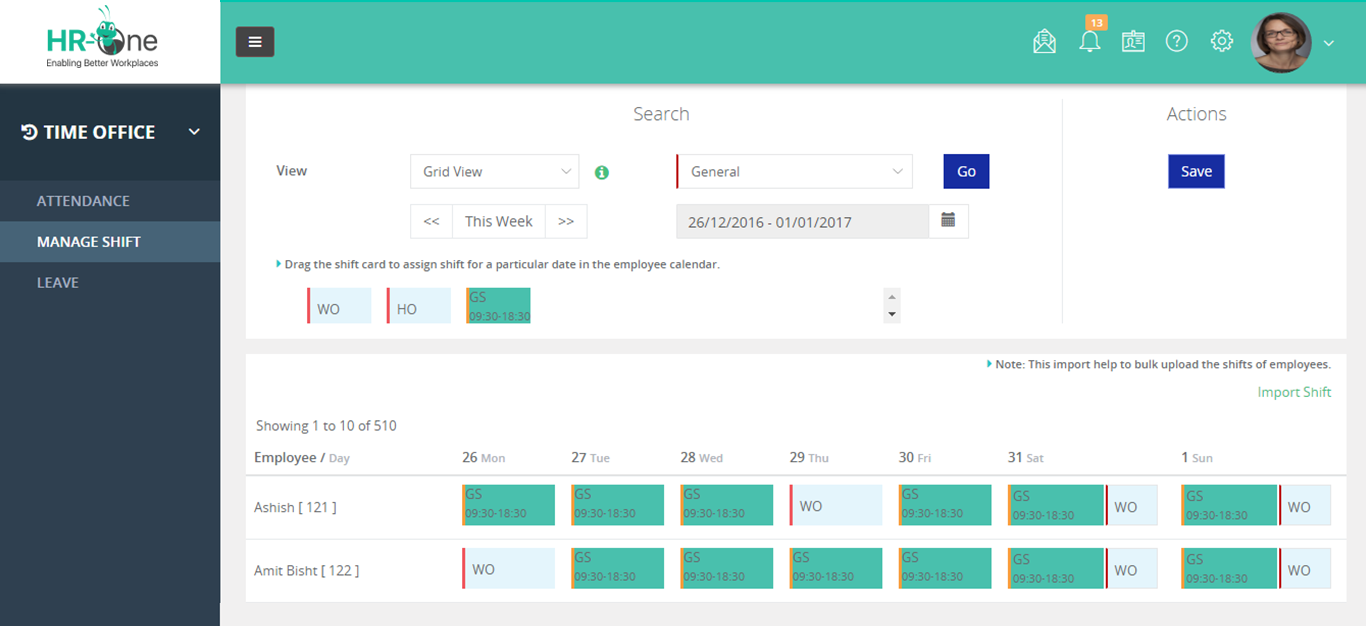
Quikchex2019₹4500/Month/50user4.1SMEs & Startups

InSyPay HRMS

Best HRMS software in India for payroll, attendance, and workforce operations

InSyPay HRMS is built for Indian organizations that need strong attendance control, payroll accuracy, and statutory-ready workflows. The platform focuses on real operational use cases such as multi-location teams, shift-based attendance, and compliance-oriented payroll processes.

Founded: 2014
Pricing: Custom pricing based on employee count and selected modules
Average Software Rating: 4.4

Key Features

  • Attendance management with shift and workforce rules
  • Payroll management with statutory workflows
  • Statutory compliance management
  • Recruitment management system
  • Appraisal and performance management
  • Training management system
  • Travel and expense management
  • Employee self-service portal

Pros

  • Designed specifically for Indian payroll and attendance realities
  • Strong fit for attendance-heavy and multi-location teams
  • Modular and scalable for growing businesses

Cons

  • Multi-country payroll needs confirmation

Zoho People

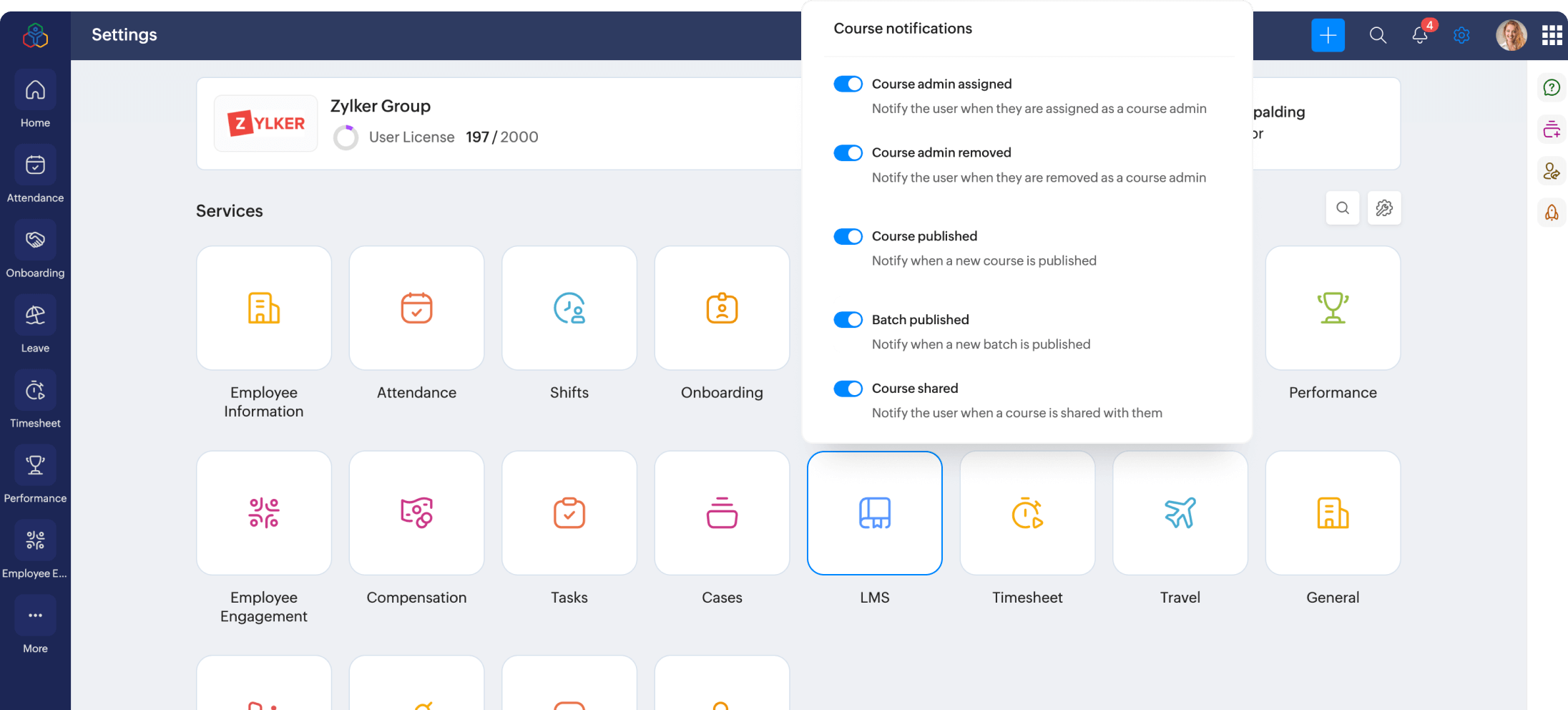
https://www.zohowebstatic.com/sites/zweb/images/people/zp-hr-automation.png

Zoho People is part of the Zoho suite and is commonly used by businesses already relying on Zoho applications. It provides flexible HR automation with deep ecosystem integrations.

Founded: 2008
Pricing: ₹48 per user per month billed annually
Average Software Rating: 4.3

Key Features

  • Core HR management
  • Attendance and leave tracking
  • Performance management
  • Workflow automation
  • Integrations with Zoho apps

Pros

  • Affordable entry pricing
  • Strong integration ecosystem

Cons

  • Payroll and compliance depth varies by use case

Darwinbox

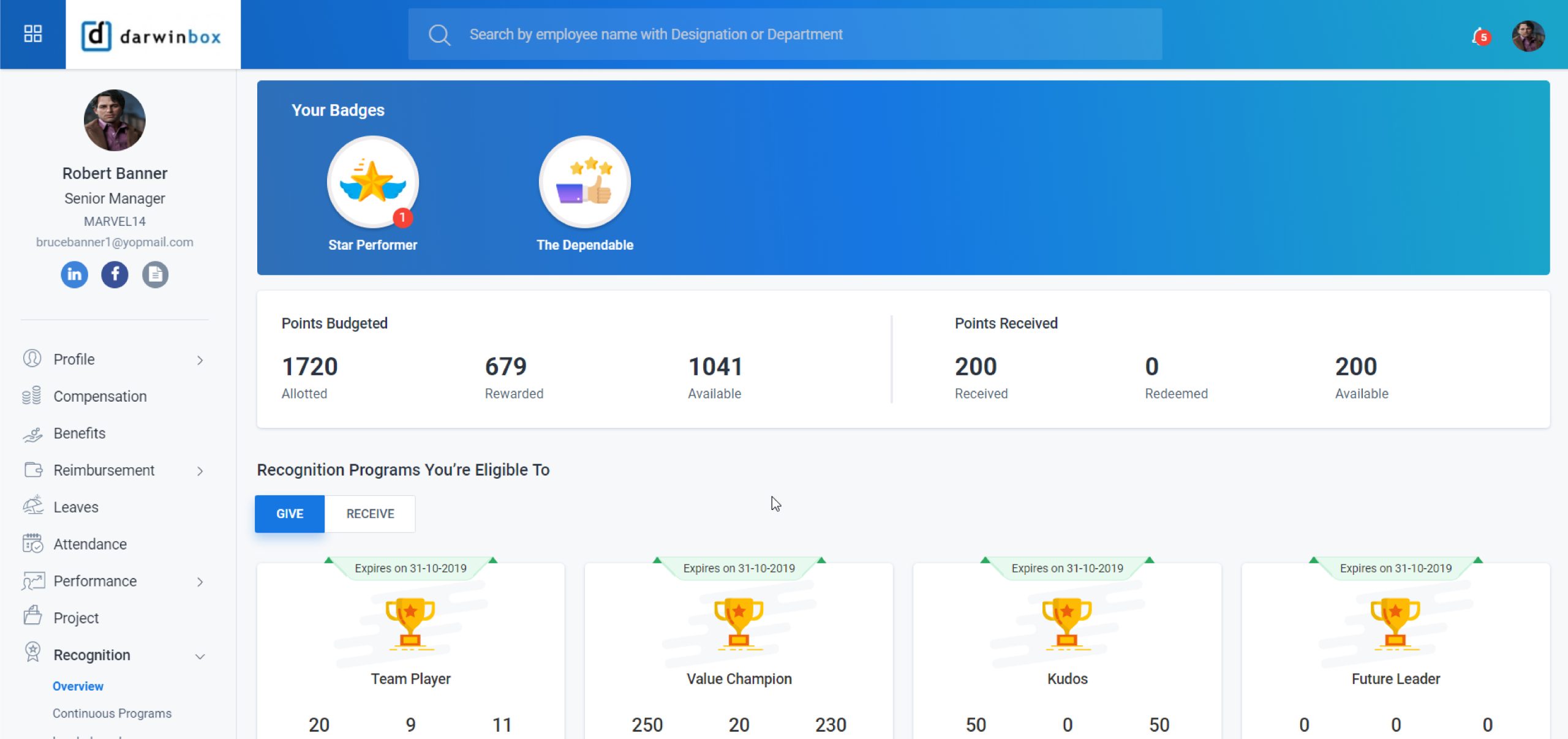
Darwinbox is an enterprise-focused HRMS platform built for automation, scalability, and complex HR workflows across large organizations.

Founded: 2015
Pricing: Custom pricing
Average Software Rating: 3.9

Key Features

  • End-to-end HR lifecycle management
  • Advanced workflows and analytics
  • Performance and talent management

Pros

  • Enterprise-ready architecture
  • Strong automation capabilities

Cons

  • Heavy implementation effort
  • Not ideal for small teams

Keka HR

https://www.keka.com/media/2024/06/psa.png

Keka HR is known for its clean interface and employee-first design. It helps organizations automate HR processes while improving engagement and transparency.

Founded: 2015
Pricing: Starts at ₹6,999 per month for up to 100 employees
Average Software Rating: 4.3

Key Features

  • Payroll with statutory compliance
  • Leave and attendance management
  • Performance tracking with OKRs and KPIs
  • Recruitment automation
  • Employee engagement tools
  • Expense and reimbursement management

Pros

  • Attendance synced directly with payroll
  • High user adoption

Cons

  • No shared file management system
  • Advanced customization on higher plans

ZingHR

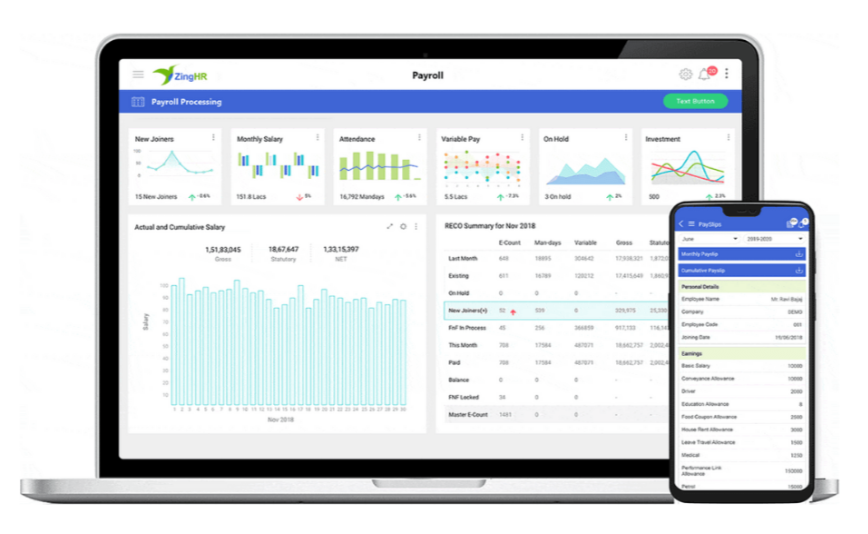
https://www.hono.ai/hs-fs/hubfs/zinghr-payroll.png?height=534&name=zinghr-payroll.png&width=868

ZingHR is widely used by large enterprises with complex organizational structures and large workforces.

Founded: 2014
Pricing: Custom pricing on request
Average Software Rating: 4.7

Key Features

  • Enterprise HR lifecycle management
  • Payroll and statutory compliance
  • Workforce analytics and reporting

Pros

  • Strong enterprise adoption
  • Robust reporting capabilities

Cons

  • High implementation effort
  • Not suitable for very small teams

greytHR

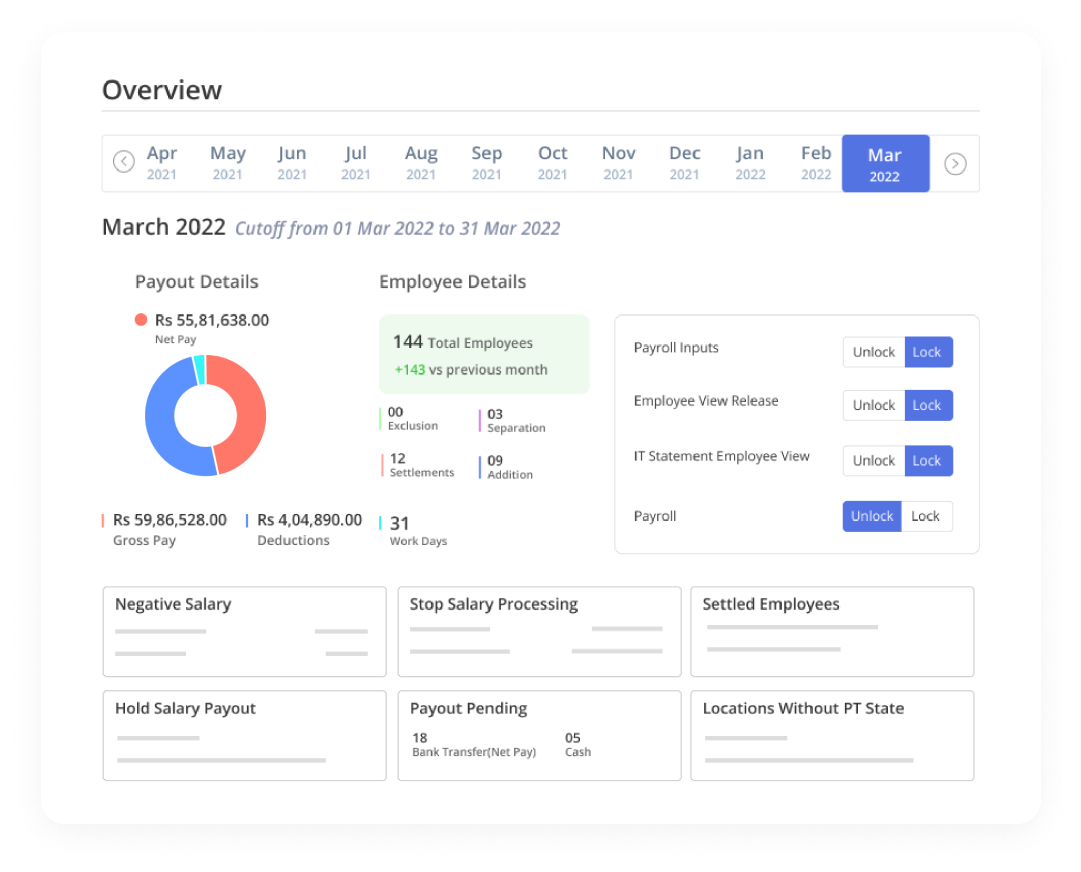
https://www.datocms-assets.com/40521/1705578683-payroll-software-overview.png?auto=format&w=1081

greytHR is a payroll-first HRMS trusted by Indian SMEs for decades.

Founded: 1994
Pricing: ₹50 per month for up to 50 employees
Average Software Rating: 4.3

Pros

  • Strong payroll and compliance foundation
  • Long-standing market trust

Cons

  • Limited advanced HR features

Pocket HRMS

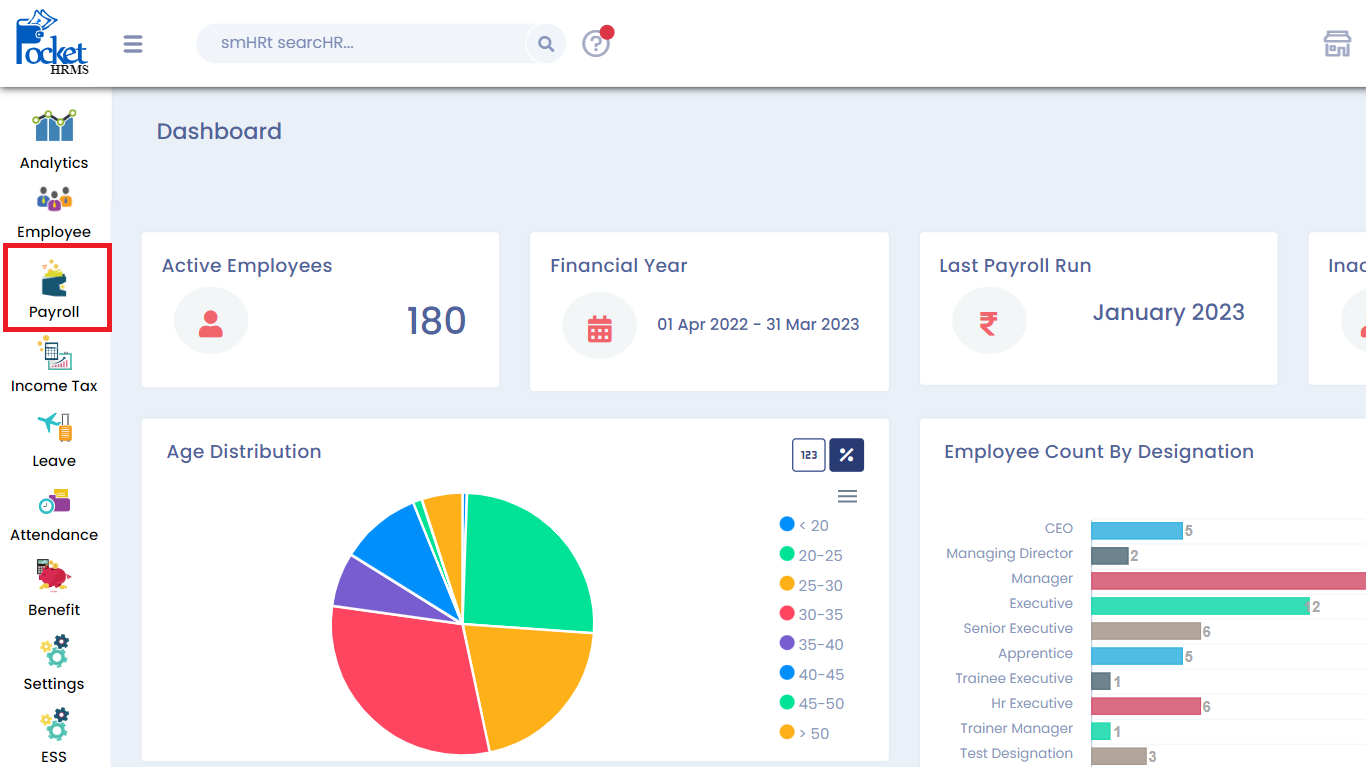
https://docs.pockethrms.com/~gitbook/image?dpr=3&quality=100&sign=da8466cd&sv=2&url=https%3A%2F%2F4282324958-files.gitbook.io%2F~%2Ffiles%2Fv0%2Fb%2Fgitbook-x-prod.appspot.com%2Fo%2Fspaces%252F-MXep_PEmh8mDPVWj49x%252Fuploads%252FYYm1W5mTVXjaDCThmO8y%252Ffnf-1.png%3Falt%3Dmedia%26token%3D6f014c27-0ebb-47b8-8453-2c55792ef6d3&width=768

Pocket HRMS is designed for small and mid-sized businesses starting their HR digitization journey.

Founded: 2013
Pricing: ₹60 per employee per month
Average Software Rating: 4.0

Pros

  • Easy onboarding
  • Simple to use

Cons

  • Limited customization options

PeopleHum

Best HRMS software in India for HR plus engagement

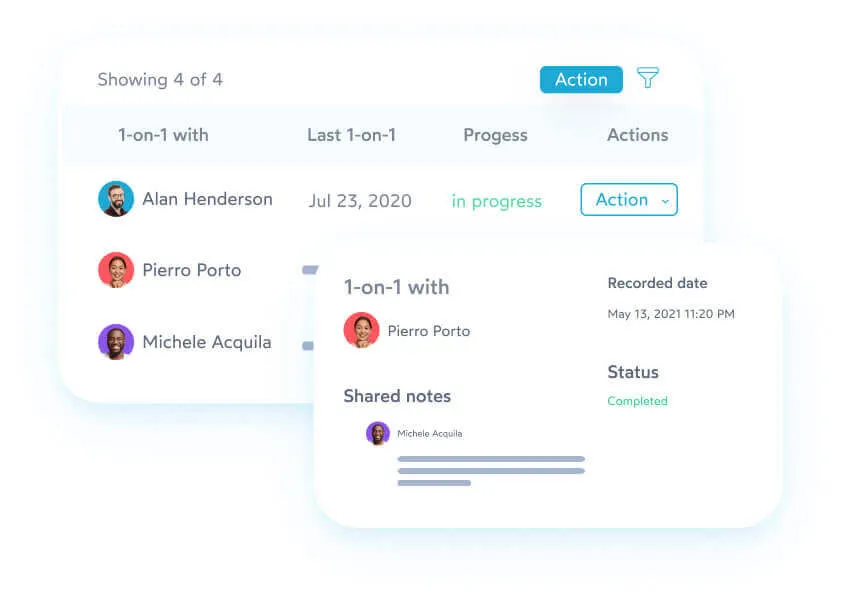
https://cdn.prod.website-files.com/62d84b3d3ba446604d041a16/62d84b3d3ba4460832041b93_1-on-1-peopleHum%20%7CpeopleHum.webp

PeopleHum combines HR operations with employee engagement and talent management tools.

Founded: 2015
Pricing: Custom pricing
Average Software Rating: 4.3

Pros

  • Strong engagement and talent modules
  • Modern UI

Cons

  • Payroll depth varies by requirement

HROne

Best HRMS software in India for structured HR operations

https://media.licdn.com/dms/image/v2/C560BAQHNgaAs4CG_bg/company-logo_200_200/company-logo_200_200/0/1640054341505/hrone_china_logo?e=2147483647&t=jQn0rkOzPU4ngYO2F2zd0jDZJ-6kqF0xjkMLWBhgxfA&v=beta
https://gdm-catalog-fmapi-prod.imgix.net/ProductScreenshot/0db770bc-85d3-413e-bb0f-45fbcaf89b88.png?auto=format&q=50

HROne focuses on structured HR processes with strong workflow control.

Founded: 2016
Pricing: Custom pricing
Average Software Rating: 4.2

Pros

  • Structured approval workflows
  • Suitable for growing organizations

Cons

  • UI may feel complex for small teams

Quikchex

Best HRMS software in India for compliance-led payroll

https://d33v4339jhl8k0.cloudfront.net/docs/assets/59a143d7042863033a1c4f67/images/6551baff00e96206bf00109e/file-JiDBxRBQ9B.jpg

Quikchex is known for its payroll and compliance-centric HRMS approach.

Founded: 2019
Pricing: Custom pricing
Average Software Rating: 4.1

Pros

  • Strong payroll and compliance focus
  • Good support for Indian statutory needs

Cons

  • Limited advanced HR features

How to choose the best HRMS software in India

When making a final decision, compare platforms based on:

Implementation effort and post-go-live support

Total cost of ownership, not just starting price

Payroll and statutory compliance depth

Attendance and shift management

Ease of use for employees and managers

Labour Codes Implemented in 2025: Payroll Impact and Compliance Reality in 2026

Labour Codes 2025 Impact on Payroll in India (2026 Guide) | InSyPay

Labour Codes Implemented in 2025: Payroll Impact and Compliance Reality in 2026

India’s Labour Codes were implemented in 2025, fundamentally changing how employers define wages, run payroll, and manage statutory compliance. In 2026, organisations are now dealing with the real execution impact of these reforms.

This guide explains what payroll teams are experiencing today, what HR leaders must fix now, and how employers can stay compliant in the current enforcement environment.

Quick takeaway: Labour Codes are no longer future policy. In 2026, payroll execution, wage structuring, and statutory reporting are being actively reviewed.

Where Labour Codes Stand Today in 2026

Since their implementation in 2025, Labour Codes have moved into the enforcement phase. In 2026, payroll audits, employee queries, and compliance reviews are exposing gaps in wage structures, statutory calculations, and attendance accuracy.

  • Increased scrutiny on wage definition
  • Higher PF and gratuity exposure for some roles
  • Stronger audit and documentation expectations
  • More importance on digital payroll systems

The Four Labour Codes and Their Payroll Impact

Each Labour Code impacts payroll differently, but together they redefine how payroll must be structured and managed.

  • Code on Wages: Impacts wage definition, salary structure, PF and bonus base.
  • Code on Social Security: Expands PF, ESI, and gratuity coverage.
  • Industrial Relations Code: Strengthens fixed-term employee benefit parity.
  • OSH Code: Standardises working hours, overtime, and attendance rules.

Wage Structure Impact in 2026

One of the biggest payroll changes comes from how wages are structured. Many organisations are revisiting salary components to ensure statutory calculations remain compliant.

Example: If an employee’s monthly CTC is ₹80,000, payroll teams often need to reassess how wage components are split to align with statutory expectations.

What Changes in PF, Gratuity, and Overtime

  • PF impact depends on how wages are defined
  • Gratuity liability may increase with revised wage base
  • Overtime disputes rise when attendance data is weak
  • Audits demand clean, traceable payroll records

Payroll Compliance Checklist for 2026

  1. Review salary structure and wage components
  2. Validate PF, ESI, and gratuity configuration
  3. Fix attendance and overtime workflows
  4. Ensure fixed-term employee compliance
  5. Maintain audit-ready payroll reports

How InSyPay Helps You Stay Labour Code Compliant

InSyPay is designed for Indian payroll compliance and helps HR teams manage wage structures, statutory calculations, attendance integration, and audit-ready reporting with confidence.

Explore our solutions:
Payroll Management Software | Statutory Management | Attendance Management | Pricing

Not sure if your payroll setup is Labour Code compliant?

Get a payroll compliance walkthrough and identify gaps before they become penalties.

Request a Demo

Note: This article is for informational purposes. For legal interpretation and state-wise applicability, consult your compliance advisor.

How HRMS Can Reduce Human Errors in Daily Operations for Growing Companies

How HRMS Reduces Human Errors in Daily Operations

As businesses grow, daily operations become more complex. HR teams handle attendance, payroll, leave requests, statutory compliance, hiring, reimbursements, and employee queries often across multiple locations.
When these tasks are done manually, human errors become unavoidable, and even small mistakes can lead to salary mismatches, compliance penalties, or employee dissatisfaction.

This is exactly where a Human Resource Management System (HRMS) becomes essential.

In this blog, we’ll explore how HRMS eliminates costly human errors, improves accuracy, and helps companies streamline day-to-day operations.

1. Automates Attendance Tracking to Avoid Data Entry Errors

Manual attendance tracking (Excel sheets, registers, punch cards) is one of the biggest sources of HR errors.

Common manual errors include:

  • Wrong in/out timing
  • Missed updates
  • Proxy attendance
  • Incorrect overtime calculation
  • Inconsistent shift records

A modern HRMS with features like mobile attendance, geofencing, and biometric/face recognition ensures that every entry is accurate and tamper-proof.
Check the Attendance Management System

2. Reduces Payroll Miscalculations

Payroll is one of the most error-prone HR operations. Most mistakes happen because:

  • Wrong attendance data
  • Incorrect leave deductions
  • Manual data entry
  • Outdated salary structures
  • Missed reimbursement claims

HRMS integrates attendance, leave, shifts, and salary rules into a single automated payroll engine, ensuring:

  • Accurate salary calculations
  • Correct deductions
  • On-time processing
  • Zero manual dependency

Check the Payroll Management System

3. Eliminates Leave & Holiday Calculation Errors

Leave miscalculations are one of the biggest triggers of employee frustration.
Manual tracking often leads to:

  • Deducting leave twice
  • Not crediting leave on time
  • Wrong holiday mapping
  • Incorrect balance calculations

A digital leave management system ensures:

  • Real-time leave balance
  • Auto updates of leave types
  • Holiday calendars per location
  • Manager approvals via app

No more confusion, everything is automated and transparent.

Check the Leave Management System

4. Prevents Statutory Compliance Mistakes

Compliance errors can result in heavy penalties, audits, and financial loss.
Most companies struggle with:

  • PF/ESIC miscalculations
  • Incorrect TDS deductions
  • Missing monthly challans
  • Wrong professional tax slabs

An HRMS ensures:

  • Automated statutory calculations
  • Updated formulas as per the latest law
  • Accurate reports for audit
  • Zero missed deadlines

This removes the risk of human error completely.

5. Streamlines Contract Labour Operations

Companies using contract labour often rely on manual registers or contractor-provided data — both prone to manipulation and mistakes.

HRMS ensures:

  • Accurate labour attendance
  • Automated working hours
  • Transparent billing
  • Zero overcharging or ghost workers

This brings fairness and eliminates disputes.

Check the Contract Labour Management System

6. Reduces Manual Effort with Employee Self-Service (ESS)

Manual HR tasks like:

  • Issuing salary slips
  • Updating employee details
  • Responding to queries
  • Handling leave applications

…consume a huge amount of time and increase the chance of errors.

With an ESS portal, employees can:

  • Apply for leave
  • Download salary slips
  • Mark attendance
  • Update personal info
  • Raise requests directly

This reduces HR workload and removes data duplication.

Check the Employee Self-Service (ESS)

7. Ensures Consistency in Multi-Location Operations

When a business has multiple branches, manual operations lead to inconsistent data and different calculations across locations.

HRMS provides a centralised platform where:

  • All locations follow the same rules
  • Attendance and leave sync in real-time
  • Payroll cycles stay accurate
  • Statutory reports stay uniform

No more mismatched data between branches.

8. Minimises Errors in Canteen & Hostel Management

Large organisations often struggle with food distribution and hostel occupancy.
Manual logs lead to:

  • Wrong meal counts
  • Food wastage
  • Incorrect hostel allocations
  • Billing mismatches

HRMS digital modules fix this through:

  • Meal card automation
  • Digital meal tracking
  • Hostel assignment records
  • Real-time consumption data

Check the Canteen Management System
Check the Hostel Management System

9. Tracks Every HR Activity with Audit Trails

Every change in attendance, salary, leave, or employee details is recorded.
Audit trails help prevent:

  • Manipulation
  • Misentry
  • Fraud
  • Data loss

This ensures transparency and accountability across departments.

10. Provides Real-Time Reports for Better Decision-Making

Manual data means delayed reports.

HRMS provides real-time dashboards for:

  • Attendance
  • Payroll
  • Leave trends
  • Overtime
  • Productivity
  • Department-wise insights

This helps management make faster, more accurate decisions without waiting for HR to compile data manually.

Conclusion: HRMS Is the Foundation of Error-Free Daily Operations

Growing companies cannot afford manual HR operations.
An HRMS ensures:
✔ Accuracy
✔ Transparency
✔ Automation
✔ Compliance
✔ Faster processes
✔ Happy employees

For businesses that want to scale efficiently, reduce errors, and improve performance, HRMS is no longer optional. It is essential.

Boost Employee Satisfaction with an Integrated HRMS: Why Employee Experience Matters More

Boost Employee Satisfaction with an Integrated HRMS: Why Employee Experience Matters More Than Ever

Discover how an integrated HRMS can transform employee satisfaction, streamline payroll, and improve workplace engagement. Learn why employee experience matters more than ever.

1. Understanding Employee Satisfaction in the Modern Workplace

What Does Employee Satisfaction Really Mean Today?

Employee satisfaction goes far beyond paychecks and perks. It’s about how employees feel about their work, workplace, and the tools they use every day. In 2025, modern employees expect more than a job they seek purpose, transparency, and seamless digital experiences.

A satisfied employee is not only more productive but also less likely to leave. According to Deloitte, companies with highly engaged employees outperform competitors by over 200%. That’s why organizations are turning to integrated HRMS platforms to make work simpler, smarter, and more rewarding.

The Link Between Employee Experience and Organizational Success

Employee experience (EX) has become the new HR frontier. Every touchpoint from onboarding to payroll shapes how employees perceive your company. When HR processes are clunky, slow, or inaccurate, satisfaction dips. But when technology simplifies these workflows, it boosts engagement, trust, and loyalty.

2. The Growing Importance of Employee Experience (EX)

How EX Impacts Productivity and Retention

A great employee experience drives better results. When people feel supported, recognized, and informed, they invest more energy in their roles. HRMS systems create this environment by automating repetitive tasks, enabling self-service, and promoting clear communication.

Common Challenges Businesses Face in Managing EX

  • Manual HR processes create frustration
  • Errors in payroll or attendance tracking erode trust
  • Lack of visibility in leave balances and schedules
  • Poor communication across teams

Integrated HRMS platforms like Insypay HRMS solve these pain points by offering a centralized, user-friendly ecosystem where employees and HR work in harmony.

3. What Is an Integrated HRMS and How Does It Work?

The Core Components of a Modern HRMS

A modern HRMS (Human Resource Management System) combines multiple HR functions into one seamless platform, including:

  • Payroll management
  • Attendance and leave tracking
  • Loan and expense management
  • Employee self-service portals
  • Performance monitoring
  • HR analytics

Why Integration Across Modules Matters

An integrated HRMS ensures that all data from attendance to salary flows automatically between modules. For example, attendance logs automatically feed payroll calculations, eliminating manual errors and delays. This integration leads to accuracy, efficiency, and happier employees.

4. HRMS Benefits That Directly Enhance Employee Satisfaction

Automation That Saves Time and Reduces Frustration

Automation in HRMS frees both HR teams and employees from repetitive administrative work. Employees no longer wait for HR to update records or approve leave manually everything happens instantly and transparently.

Transparent Payroll and Real-Time Access to Data

When employees can view payslips, deductions, and tax summaries anytime, it builds trust. Payroll transparency is one of the most underrated drivers of satisfaction. Insypay HRMS ensures all data is accurate and easy to access through secure self-service dashboards.

Self-Service Portals and Empowered Employees

HRMS self-service features allow employees to:

  • Update their personal information
  • Apply for leaves or loans
  • Download payslips
  • Track attendance records

This empowerment fosters independence and reduces dependency on HR teams — leading to a more positive employee experience.

5. The Role of Payroll Accuracy in Employee Trust and Retention

When payroll errors occur, they instantly impact morale. Late or incorrect salaries can damage trust faster than any other HR issue. HRMS platforms automate payroll calculations, ensuring error-free and timely disbursements every cycle.

6. Attendance and Leave Management: Reducing Admin Hassles

Simplified Leave Requests and Approval Workflows

A disorganized leave system can frustrate employees and disrupt productivity. An integrated HRMS like Insypay eliminates that chaos. Employees can easily:

  • Submit leave applications online.
  • View remaining balances in real time.
  • Get instant notifications upon approval or rejection.

This streamlined process makes leave management transparent and efficient, fostering trust between employees and management.

Tracking Attendance with Smart HRMS Integration

Modern HRMS platforms use biometric, RFID, or mobile-based systems to accurately record attendance. Integration ensures that attendance data flows automatically into payroll, avoiding discrepancies.

The result? Zero manual intervention, fewer disputes, and happier employees who know their attendance and pay are handled fairly.

7. Centralized Communication and Collaboration Tools

Building a Transparent and Connected Workplace

One of the key drivers of satisfaction is clear communication. A centralized HRMS helps organizations stay connected by:

  • Sharing important updates instantly.
  • Managing company announcements and HR policies in one place.
  • Enabling employees to access critical information anytime.

When communication is open and consistent, employees feel more valued and aligned with company goals.

HRMS as a Platform for Employee Feedback and Recognition

Recognition is a powerful motivator. With integrated HRMS tools, managers can track performance and reward achievements seamlessly. Feedback loops — like surveys and performance reviews — allow employees to share their thoughts, improving engagement and culture simultaneously.

8. HR Analytics: Turning Data into Better Employee Experiences

Using Analytics to Understand Employee Behavior

Data-driven HR decisions are no longer optional. HRMS platforms provide deep insights into:

  • Employee attendance patterns.
  • Leave trends.
  • Attrition rates.
  • Payroll and performance data.

By analyzing these patterns, HR teams can proactively identify pain points and design strategies to enhance satisfaction and retention.

Predictive Insights for Proactive HR Decisions

AI-driven HRMS systems can predict potential resignations, burnout risks, or performance drops. For example, if attendance irregularities rise, HR can intervene early with support programs. This predictive power turns data into actionable solutions that strengthen employee relationships.

9. Case Study: How Businesses Use HRMS to Drive Engagement

Real-Life Example: A Company That Boosted Morale with HRMS Integration

A mid-sized IT firm struggling with high attrition adopted Insypay HRMS to automate payroll, leave, and attendance. Within three months:

  • Payroll errors dropped to zero.
  • Employee satisfaction scores rose by 35%.
  • HR saved over 40 hours monthly in manual tasks.

By shifting to a transparent, data-driven HRMS, the company created a culture of trust, efficiency, and engagement, showing how digital transformation directly impacts morale.

10. Future Trends: The Next Evolution of HRMS in Enhancing EX

AI, Automation, and Personalization in HR Tech

The future of HRMS revolves around personalized employee journeys. AI will soon recommend career paths, upskilling programs, and wellness initiatives tailored to each employee. Automation will handle repetitive HR tasks, freeing HR teams to focus on strategy and people development.

Preparing Your Organization for the Future of Work

To stay competitive, businesses must adopt HRMS systems that are:

  • Scalable to support workforce growth.
  • Cloud-based for accessibility and security.
  • Employee-centric with intuitive interfaces.

The organizations that invest early in integrated HRMS solutions like Insypay will lead the way in creating workplaces that employees truly love.

Conclusion: Building a Happier Workforce with Integrated HRMS

The Future of Employee Experience with Insypay HRMS

Employee satisfaction is no longer a “nice-to-have” — it’s a business imperative. An integrated HRMS empowers employees, improves efficiency, and builds a culture of transparency. From accurate payrolls to smooth attendance tracking, every feature contributes to a happier, more productive workplace.

Final Thoughts and Call to Action

As we move deeper into 2025, organizations that prioritize employee experience through digital tools like Insypay HRMS will lead the future of work.

Ready to elevate your employee satisfaction and simplify HR operations?
👉 Visit Insypay HRMS to explore how integration can transform your workplace experience today.

FAQs About HRMS and Employee Satisfaction

1. How does HRMS improve employee satisfaction?

HRMS simplifies daily HR tasks — like payroll, attendance, and leave — making work smoother and more transparent. This reduces frustration, builds trust, and enhances overall satisfaction.

2. Can small businesses benefit from HRMS solutions?

Absolutely. HRMS platforms are no longer just for large enterprises. Solutions like Insypay offer scalable, cost-effective modules ideal for small and medium-sized businesses.

3. What features should I look for in a good HRMS?

Look for integrated modules for payroll, leave, attendance, and employee self-service. Analytics, compliance management, and mobile accessibility are also essential.

4. How does HRMS ensure payroll accuracy?

Integrated HRMS automatically pulls attendance and leave data into payroll calculations, ensuring 100% accurate and timely salary processing without manual intervention.

5. What role does HRMS play in employee engagement?

It empowers employees through self-service, promotes transparency, and provides platforms for recognition and feedback — all of which increase engagement.

6. Is HRMS integration secure for employee data?

Yes, modern HRMS platforms like Insypay use advanced encryption, role-based access, and regular security audits to keep sensitive employee data protected.