Human Resource Management Software India: Complete HRMS Buyer’s Guide for Growing Businesses in 2026

Human Resource Management Software India | Best HRMS Solutions 2026

HRMS Buyer’s Guide 2026

A practical guide to choosing HRMS software for payroll, attendance, compliance, workforce automation, and operational control in Indian businesses.

Managing employees manually is becoming increasingly difficult for Indian businesses. As organizations grow, HR teams often struggle with payroll processing, attendance tracking, compliance management, shift scheduling, employee records, and workforce visibility across multiple locations.

This is why businesses across manufacturing, logistics, retail, hospitality, IT, and service industries are rapidly adopting Human Resource Management Software (HRMS).

Modern HRMS software helps organizations automate payroll, simplify attendance management, reduce compliance risks, and improve overall workforce productivity.

In this guide, we will explore:

  • What human resource management software is
  • Why Indian companies are moving away from Excel-based HR processes
  • Key features businesses should look for
  • Best HRMS software options in India
  • Pricing considerations
  • How to choose the right HR software for your business
  • Why workforce-heavy companies require operational HRMS solutions

What Is Human Resource Management Software?

Human Resource Management Software (HRMS) is a digital platform that helps businesses automate and manage HR operations such as:

Instead of managing HR operations through Excel sheets, emails, and manual paperwork, HRMS software centralizes all employee-related information into one system.

For Indian businesses, HRMS software has become critical due to increasing workforce complexity, labour law compliance requirements, multi-location operations, and payroll accuracy demands.

Why Indian Businesses Are Moving From Excel to HRMS Software

Many SMEs and mid-sized companies still rely on Excel spreadsheets for HR operations. While this may work temporarily for small teams, it creates major operational problems as the workforce grows.

Common Problems With Manual HR Processes

Payroll Errors

Manual salary calculations often lead to:

  • incorrect deductions
  • overtime calculation mistakes
  • wrong leave adjustments
  • PF and ESIC errors
  • delayed salary processing

Even small payroll mistakes can impact employee trust and create compliance issues.

Attendance Mismatch

Businesses managing:

  • factory workers
  • contract labour
  • multiple shifts
  • field employees
  • remote teams

often struggle with attendance reconciliation.

Manual attendance systems create:

  • buddy punching
  • fake overtime claims
  • missing attendance records
  • shift confusion

Compliance Risks

Indian labour compliance requirements are becoming stricter.

Organizations must regularly manage:

  • PF
  • ESIC
  • PT
  • TDS
  • labour laws
  • statutory filings

Manual compliance handling increases the risk of:

  • penalties
  • audit failures
  • delayed filings

Lack of Workforce Visibility

Without centralized HR software, management teams often lack visibility into:

  • employee productivity
  • attendance patterns
  • overtime costs
  • leave trends
  • contractor workforce data

This affects operational planning and cost control.

Key Features to Look for in Human Resource Management Software India

Choosing the right HRMS software is not only about features. Businesses should evaluate whether the software can handle operational workforce requirements efficiently.

1. Payroll Management

Payroll is one of the most critical HR functions.

Good payroll software should support:

  • automated salary calculation
  • overtime calculation
  • shift-based payroll
  • bonus management
  • arrears
  • full & final settlement
  • statutory deductions
  • payroll reports

For Indian companies, payroll compliance accuracy is extremely important.

2. Attendance Management

Modern attendance systems should support:

  • biometric integration
  • mobile attendance
  • geo attendance
  • shift management
  • overtime tracking
  • attendance regularization

Businesses with workforce-heavy operations require real-time attendance visibility.

3. Leave Management

An efficient leave management system helps automate:

  • leave applications
  • approvals
  • leave balance calculation
  • holiday calendars
  • leave encashment

This reduces manual coordination between employees and HR teams.

4. Employee Self-Service (ESS)

Employee Self-Service portals allow employees to:

  • download payslips
  • apply for leave
  • mark attendance
  • update personal details
  • access HR documents

This significantly reduces HR administrative workload.

5. Compliance Management

Compliance management features help businesses manage:

  • PF
  • ESIC
  • PT
  • TDS
  • labour compliance
  • statutory reporting

Automated compliance reduces legal and financial risks.

6. Recruitment & Onboarding

HRMS software should simplify:

  • candidate tracking
  • interview scheduling
  • offer management
  • onboarding documentation
  • employee induction

This improves hiring efficiency.

7. Appraisal & Performance Management

Performance modules help organizations:

  • conduct reviews
  • define KPIs
  • manage appraisals
  • track employee goals

This improves workforce performance management.

8. Mobile Accessibility

Modern HRMS software should provide mobile access for:

  • attendance
  • approvals
  • leave requests
  • payslip access
  • employee communication

Mobile HRMS platforms are especially important for field teams and remote workforce management.

Best Human Resource Management Software in India

Below is a comparison of popular HRMS software solutions available in India.

HR Software Founded Pricing (Starting) Avg. Rating Best For
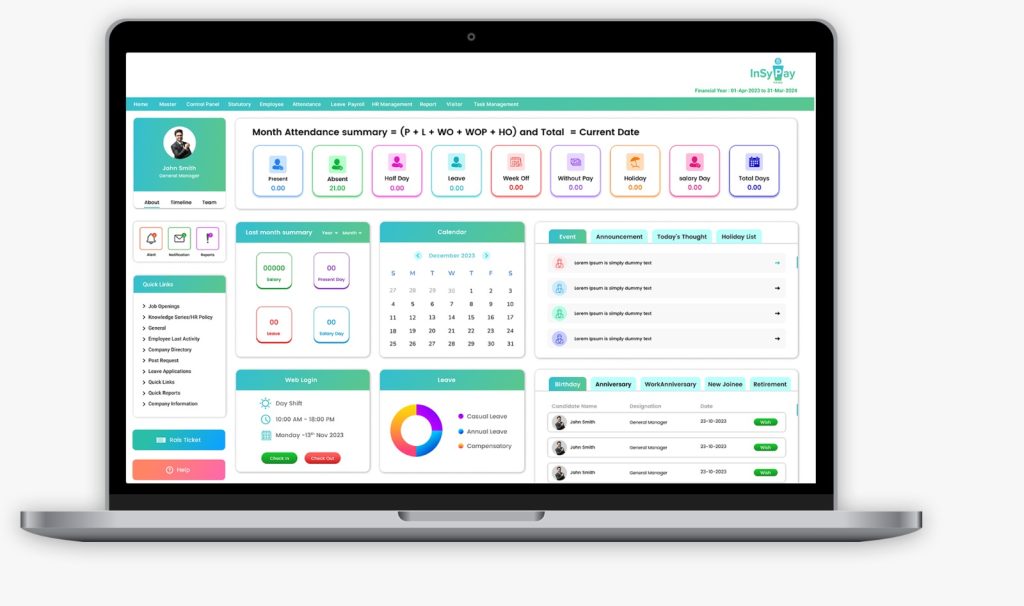
InSyPay HRMS2014₹70/user/month4.4SMEs to Enterprises
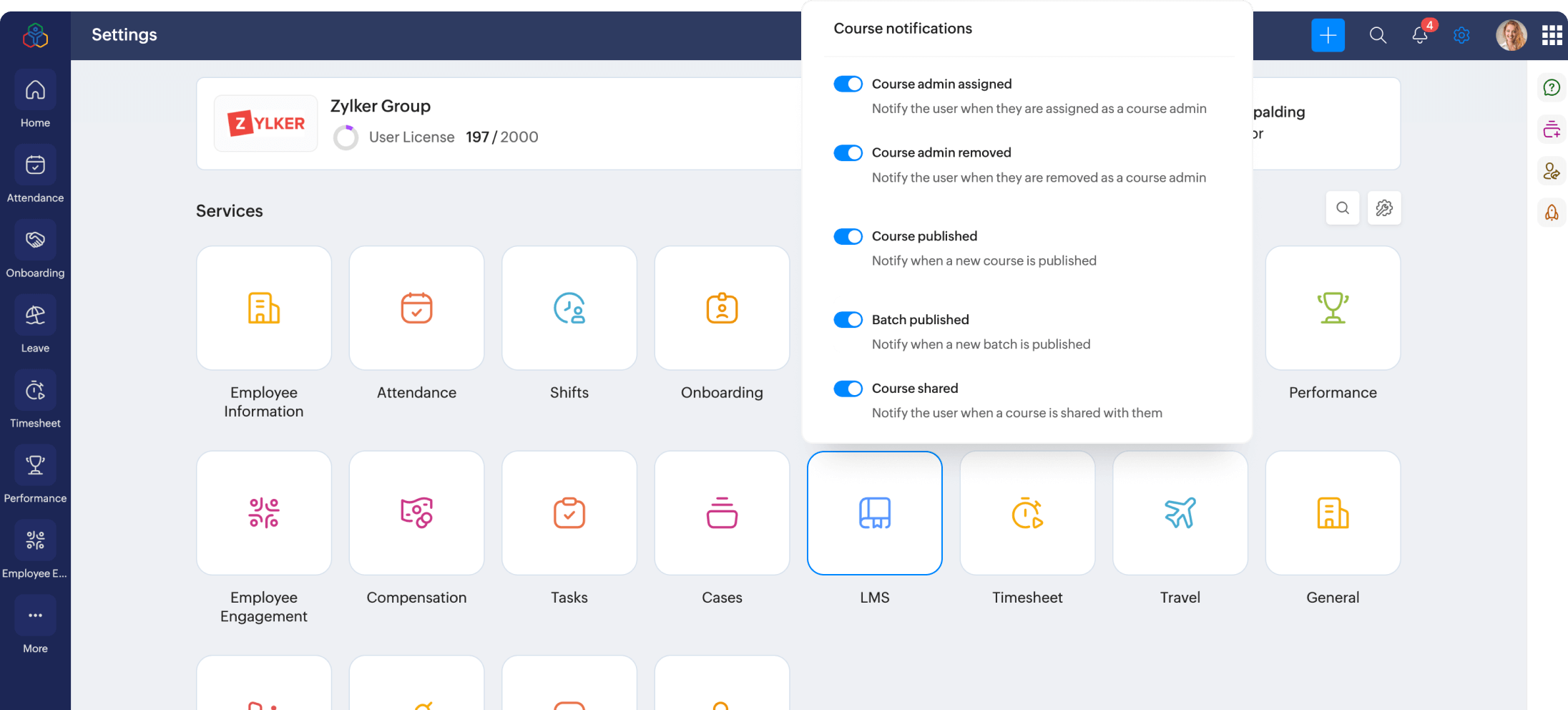
Zoho People2008₹48/user/month (billed annually)4.3SMEs to Enterprises
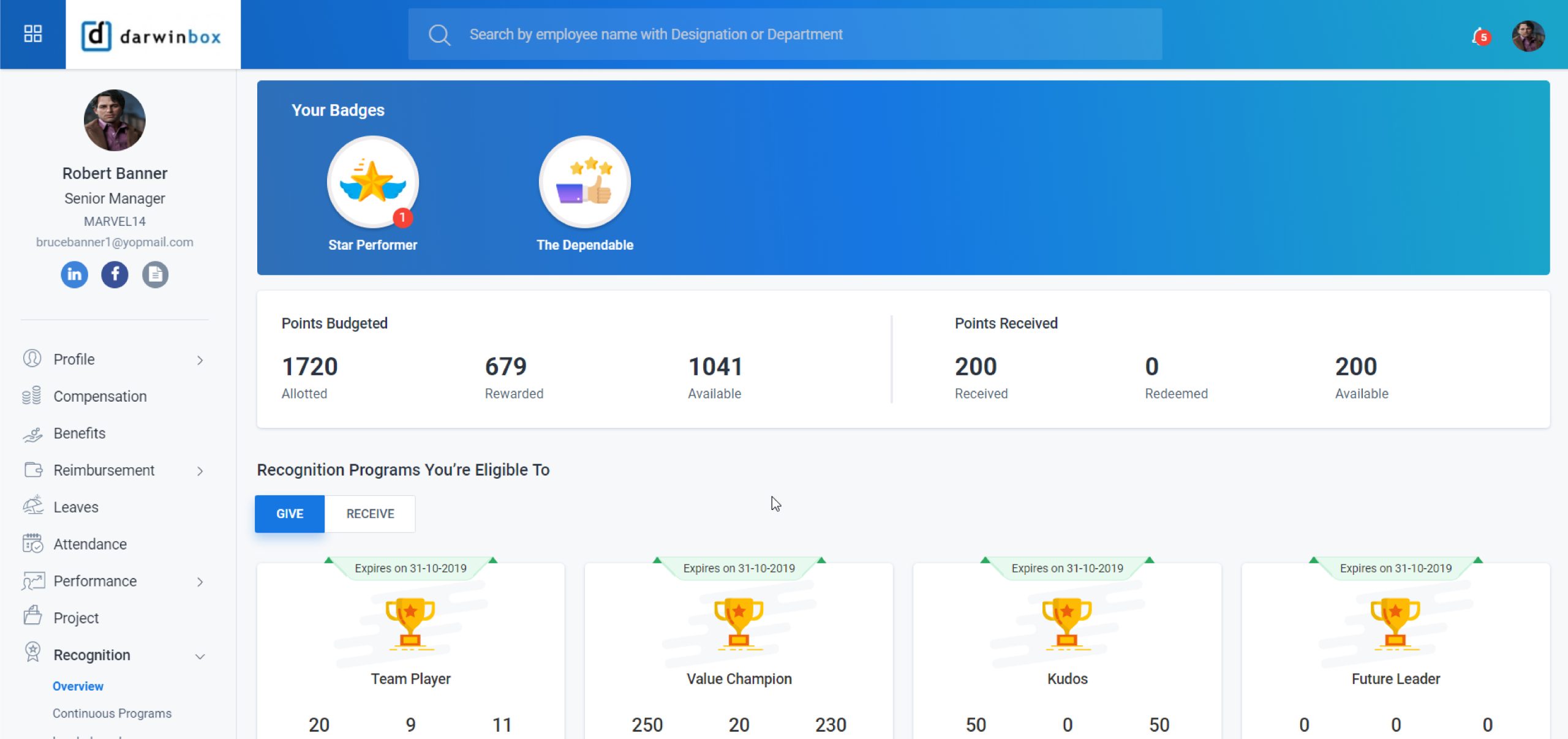
Darwinbox2015Custom Pricing3.9Mid to Large Enterprises
Keka HR2015₹6,999/month (up to 100 employees)4.3SMEs to Enterprises
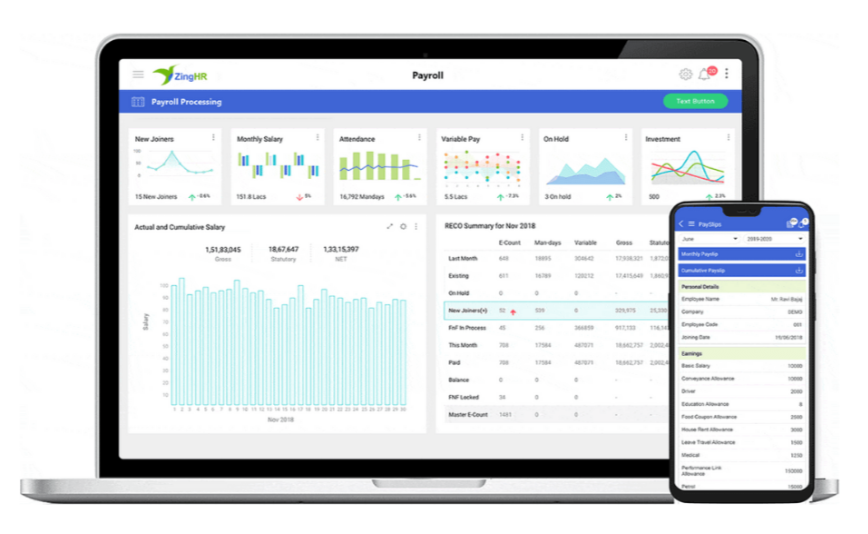
ZingHR2014Custom Pricing4.7Large Enterprises
greytHR1994₹50/month (up to 50 employees)4.3SMEs to Enterprises
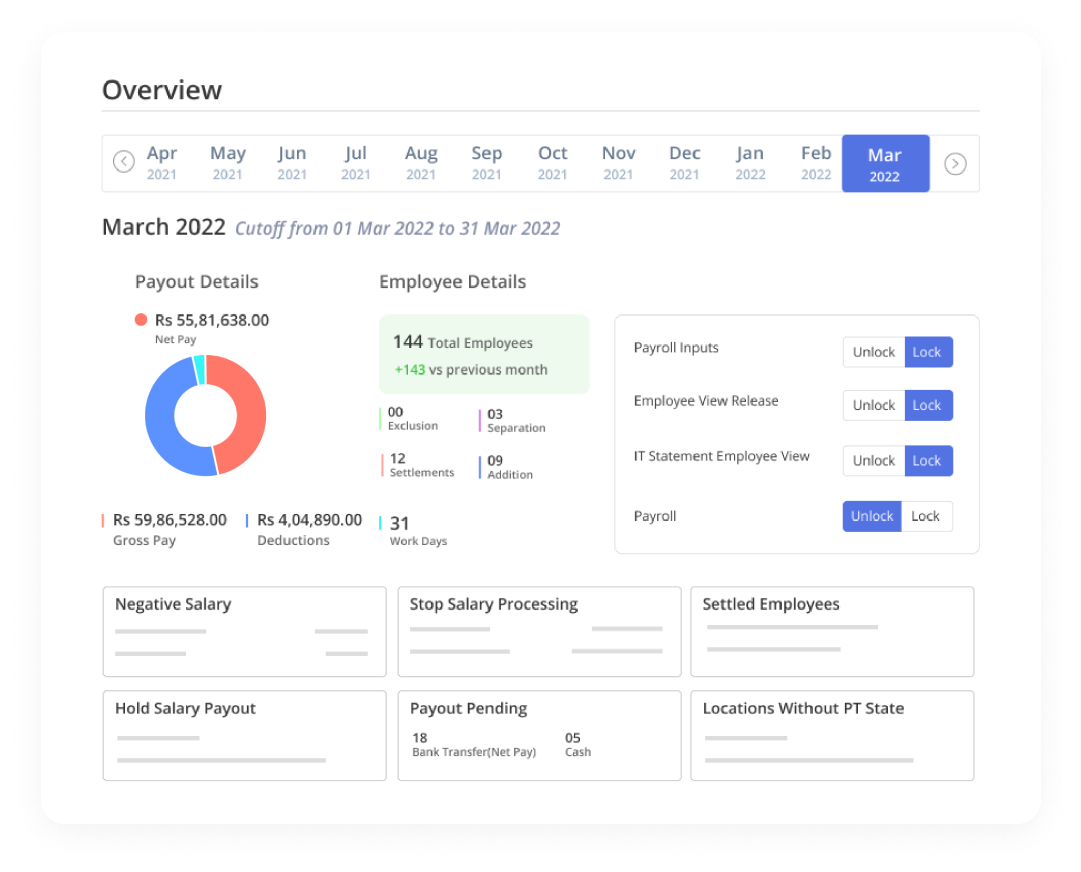
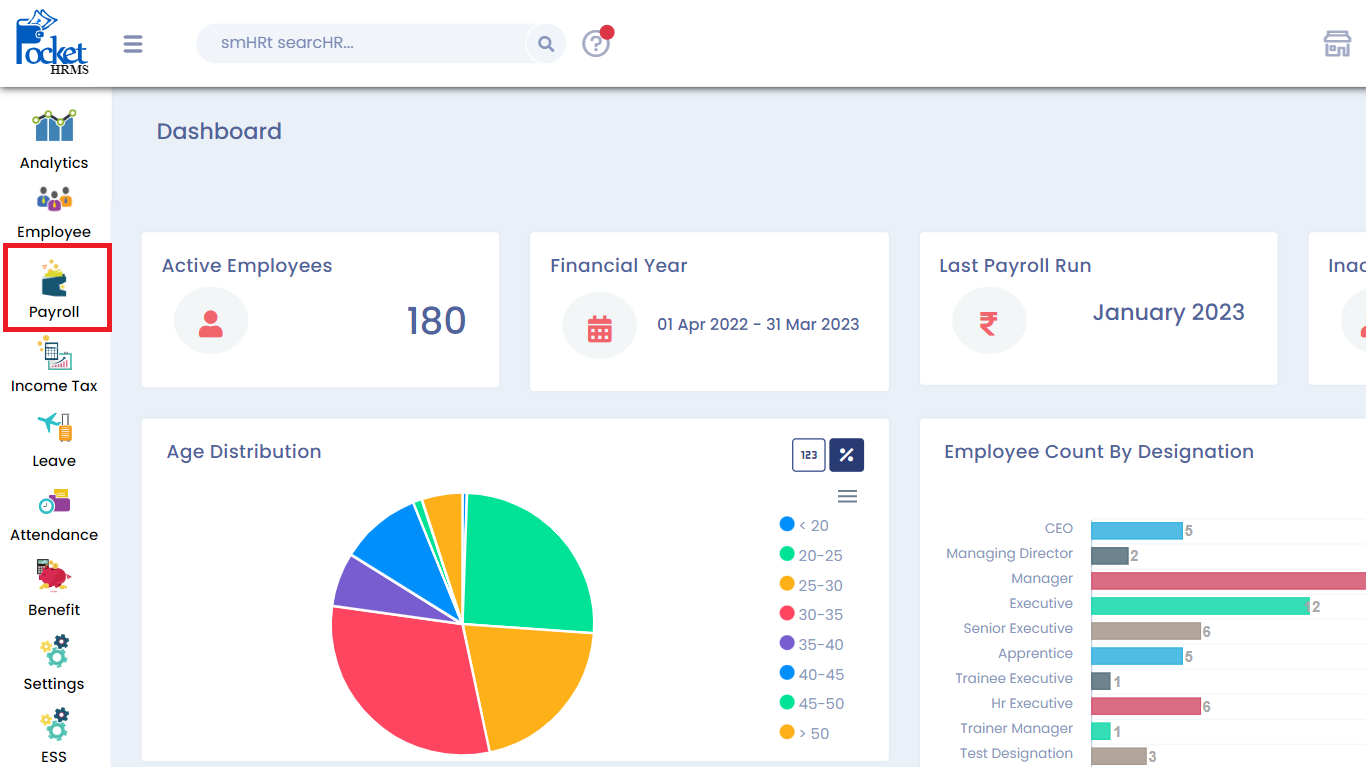
Pocket HRMS2013₹60/user/month4.0SMEs & Mid-sized
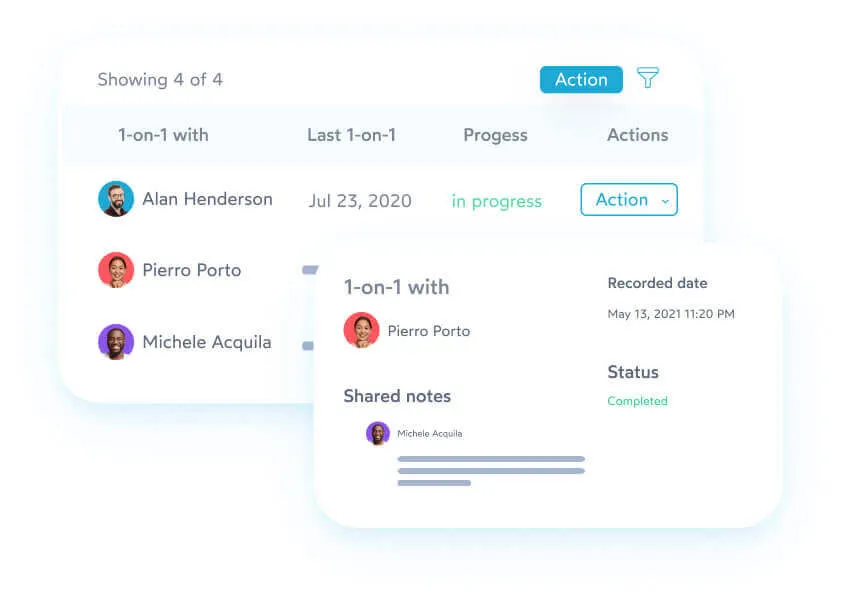
PeopleHum2015$2/user/month4.3SMEs to Enterprises
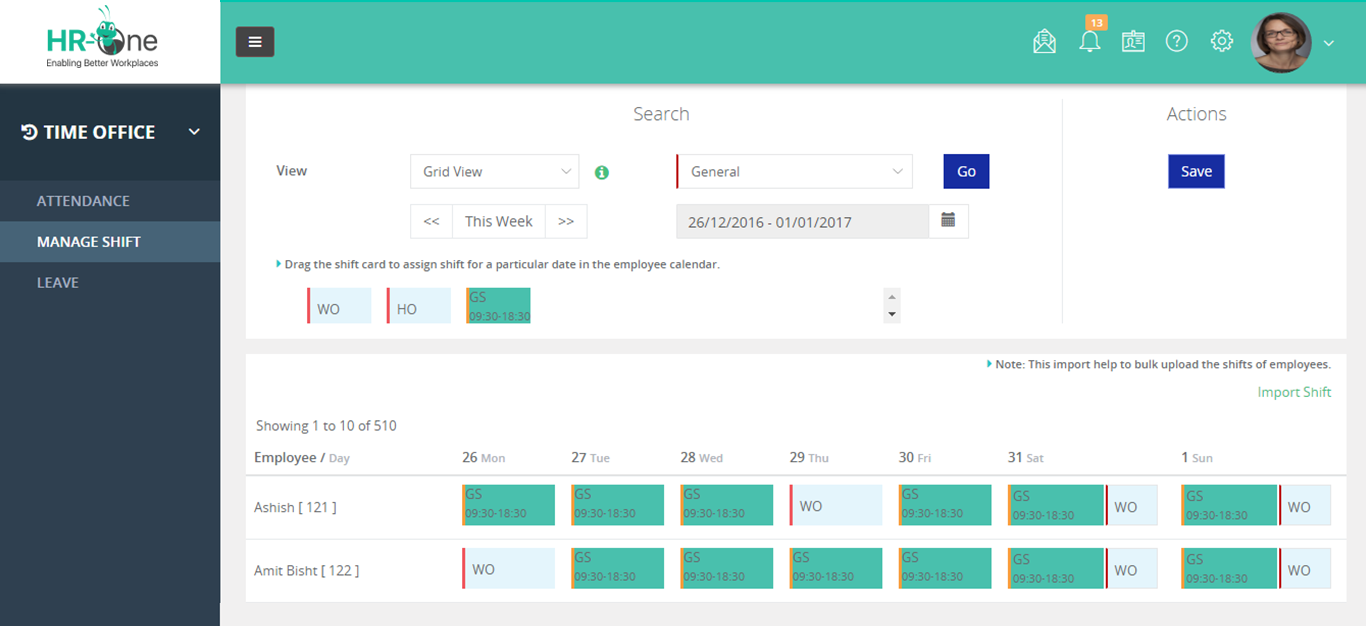
HROne2016₹4950/month4.2SMEs to Mid-market
Quikchex2019₹4500/month4.1SMEs & Startups

Human Resource Management Software for Manufacturing Companies

Manufacturing companies face unique workforce management challenges.

Unlike standard office-based operations, manufacturing businesses must manage:

  • multiple shifts
  • overtime
  • contractor labour
  • biometric attendance
  • compliance-heavy payroll
  • workforce tracking
  • production-linked manpower planning

This makes operational HRMS capabilities extremely important.

For a deeper industry-specific guide, read Best HRMS Software for Manufacturing Companies in India.

Key Manufacturing HR Challenges

Shift Management Complexity

Factories often run:

  • day shifts
  • night shifts
  • rotational shifts

Manual shift tracking creates payroll discrepancies and attendance conflicts.

Contractor Workforce Management

Manufacturing businesses frequently employ:

  • contract labour
  • temporary workers
  • seasonal workforce

Managing contractor attendance and wage calculations manually becomes difficult at scale.

Payroll Accuracy

Factory payroll often includes:

  • overtime
  • attendance incentives
  • shift allowances
  • production-linked incentives

HRMS software helps automate these calculations.

Compliance Management

Manufacturing companies must maintain accurate statutory compliance records.

Failure to manage:

  • PF
  • ESIC
  • labour compliance
  • contractor records

can create significant legal exposure.

Common HR Challenges HRMS Software Solves

Delayed Payroll Processing

Automated payroll workflows reduce salary processing time and improve payroll accuracy.

Attendance Fraud

Biometric and geo attendance systems reduce:

  • buddy punching
  • fake attendance
  • duplicate entries

Manual Approval Delays

HRMS automation speeds up:

  • leave approvals
  • reimbursement approvals
  • attendance regularization

Employee Data Silos

Centralized employee records improve workforce visibility and reduce duplicate data management.

Compliance Tracking Issues

Automated compliance workflows reduce manual filing dependency.

How Much Does HRMS Software Cost in India?

HRMS software pricing in India depends on:

  • company size
  • number of employees
  • modules required
  • customization needs
  • deployment model

Typical HRMS Pricing Models

Per Employee Pricing

Many HRMS platforms charge:

  • ₹40–₹150 per employee per month

Module-Based Pricing

Pricing may vary based on:

  • payroll
  • attendance
  • recruitment
  • compliance
  • performance management

Enterprise Pricing

Large organizations often require:

  • custom workflows
  • API integrations
  • advanced reporting
  • dedicated support

Enterprise pricing is usually customized.

How to Choose the Right Human Resource Management Software

Choosing the right HRMS software requires more than comparing features.

Businesses should evaluate:

Workforce Complexity

Consider:

  • shifts
  • contractor workforce
  • remote employees
  • multiple branches
  • overtime dependency

Payroll & Compliance Accuracy

Payroll accuracy should be a major evaluation factor.

Incorrect payroll processing can directly impact:

  • employee satisfaction
  • compliance
  • operational trust

Scalability

Choose software that can scale with:

  • workforce growth
  • additional branches
  • operational expansion

Ease of Implementation

A complicated implementation can delay HR transformation projects.

Businesses should evaluate:

  • onboarding support
  • training
  • implementation timelines
  • customer assistance

Customization Capability

Every industry has different HR workflows.

Manufacturing and workforce-heavy businesses often require:

  • custom attendance rules
  • overtime policies
  • contractor workflows
  • shift logic

Customization flexibility becomes critical.

Why InSyPay HRMS Is Suitable for Indian Businesses

InSyPay HRMS is designed to support Indian businesses that require operational workforce control, payroll accuracy, and compliance automation in a single platform.

Previously known as InSysPay, the platform supports businesses ranging from SMEs to enterprises.

Key Strengths of InSyPay HRMS

Workforce Management

Supports:

  • attendance tracking
  • shift management
  • payroll processing
  • employee lifecycle management

Payroll & Compliance Automation

The platform helps automate:

  • salary processing
  • statutory calculations
  • payroll reporting
  • TDS workflows

Customization Flexibility

Businesses can customize workflows based on:

  • industry requirements
  • workforce structure
  • operational processes

Integrated HR Modules

InSyPay offers:

  • payroll management
  • attendance management
  • recruitment management
  • appraisal management
  • training management
  • travel expense management
  • employee self-service
  • task management

Workforce-Heavy Industry Support

The platform is suitable for:

  • manufacturing
  • logistics
  • contractor workforce
  • multi-location businesses

What Users Say About InSyPay HRMS

Several users have highlighted:

  • payroll automation
  • customization flexibility
  • workforce management
  • attendance tracking
  • centralized HR workflows

Users also noted improvements in:

  • manual HR workload reduction
  • attendance visibility
  • payroll efficiency

Some reviews additionally highlighted areas such as UI modernization and multilingual support as future improvement opportunities.

Frequently Asked Questions

Which is the best human resource management software in India?

The best HRMS software depends on:

  • company size
  • workforce complexity
  • payroll requirements
  • compliance needs
  • industry workflows

Popular options include InSyPay, Zoho People, Keka, Darwinbox, and greytHR.

What is the average cost of HRMS software in India?

Most HRMS software platforms charge between:

  • ₹40 to ₹150 per employee per month

Enterprise pricing may vary based on customization and integrations.

Is HRMS software suitable for manufacturing companies?

Yes. Manufacturing companies benefit significantly from HRMS software due to:

  • shift management
  • overtime automation
  • contractor workforce tracking
  • payroll accuracy
  • compliance management

What features should HRMS software include?

Businesses should look for:

  • payroll management
  • attendance tracking
  • leave management
  • compliance automation
  • ESS portal
  • mobile access
  • recruitment workflows
  • reporting dashboards

What is the difference between payroll software and HRMS software?

Payroll software mainly focuses on salary processing.

HRMS software provides broader workforce management capabilities including:

  • attendance
  • leave
  • recruitment
  • performance management
  • employee records
  • compliance management

Final Thoughts

Human Resource Management Software is no longer optional for growing businesses in India.

As workforce complexity increases, organizations require centralized HR systems that can automate payroll, attendance, compliance, and workforce operations efficiently.

Businesses that continue relying on manual HR processes often face:

  • payroll inaccuracies
  • operational inefficiencies
  • compliance risks
  • limited workforce visibility

Choosing the right HRMS platform can help organizations improve operational control, reduce manual dependency, and build scalable HR processes for long-term growth.

For businesses managing workforce-heavy operations, payroll-intensive environments, or multi-location teams, selecting an HRMS solution with strong operational capabilities becomes even more critical.

Book Demo

HR Compliance Checklist for Indian Companies in 2026

Staying compliant with Indian labour laws in 2026 is no longer optional. With increasing inspections, digital filings, and the gradual implementation of the new Labour Codes, companies must ensure their HR compliance framework is accurate, documented, and automated.

A single missed filing, such as EPF, ESI, Professional Tax, or TDS, can result in penalties, legal notices, and reputational damage. For manufacturing units, contractor-driven businesses, IT firms, and growing SMEs, compliance management has become more complex than ever.

This complete HR Compliance Checklist for Indian Companies in 2026 covers:

  • All mandatory statutory compliances
  • Monthly, quarterly, and annual filings
  • Payroll and social security obligations
  • Manufacturing and contract labour requirements
  • Practical compliance tracking approach

If you manage HR, payroll, finance, or operations, this guide will help you stay audit ready.

What is HR Compliance in India?

HR compliance refers to adherence to all applicable labour laws, statutory regulations, wage rules, and social security obligations that govern employer employee relationships in India.

It includes:

  • Wage and salary compliance
  • Provident Fund and ESI contributions
  • Labour law registrations
  • Statutory registers maintenance
  • Contractor management compliance
  • Filing government returns
  • Workplace safety and POSH compliance

Compliance requirements vary based on:

  • Number of employees
  • State of operation
  • Industry type
  • Whether contract labour is engaged
  • Nature of establishment, such as factory or a commercial office

Why HR Compliance Is Critical in 2026

In 2026, compliance risk has increased due to:

  1. Digital wage tracking and inspection systems
  2. Labour Code alignment across states
  3. Automated EPFO and ESIC monitoring
  4. Increased scrutiny on contractor payments
  5. Factory audit digitization
  6. Higher penalties for delayed filings

For example:

  • EPF late payment damages can go up to 25 percent
  • ESI non compliance can attract penalties and prosecution
  • Factories Act violations can lead to shutdown orders
  • Contractor non registration can create principal employer liability

HR compliance is no longer paperwork. It is a strategic risk management function.

Complete HR Statutory Compliance Checklist for 2026

Below is the structured compliance framework every Indian company must follow.

A. Payroll and Salary Compliance

1. Minimum Wages Compliance

Ensure payment as per state notified minimum wages based on:

  • Skill category
  • Industry
  • Zone classification

Verify wage revisions regularly.

2. Payment of Wages Compliance

  • Pay salaries before statutory deadline
  • Ensure digital bank transfer
  • Avoid unauthorized deductions
  • Maintain wage registers

3. Professional Tax Compliance

Applicable in states such as Maharashtra, Karnataka, West Bengal and others.

  • Deduct PT from eligible employees
  • Deposit within state prescribed timeline
  • File monthly or annual returns

4. TDS on Salaries

  • Deduct tax as per applicable slab
  • Deposit before 7th of next month
  • File quarterly TDS returns
  • Issue Form 16 annually

5. Gratuity Compliance

Applicable if:

  • 10 or more employees

Obligations:

  • Pay gratuity after 5 years of service
  • Maintain gratuity calculation records
  • Register under applicable rules

6. Bonus Compliance

Applicable to:

  • Employees earning up to statutory wage limit

Requirements:

  • Minimum 8.33 percent bonus
  • Maximum 20 percent bonus
  • Maintain bonus register

B. Social Security Compliance

1. Employees Provident Fund

Applicable if:

  • 20 or more employees

Employer obligations:

  • Deduct employee share
  • Contribute employer share
  • Generate UAN
  • File monthly ECR
  • Maintain PF records

2. Employees State Insurance

Applicable based on:

  • Wage threshold
  • Employee count
  • State coverage

Requirements:

  • Deduct employee contribution
  • Deposit employer contribution
  • File periodic returns
  • Maintain ESI register

3. EDLI Compliance

Automatic under EPF.

Ensure contribution accuracy.

C. Labour Law and Workplace Compliance

1. Shops and Establishment Act

Applicable to:

  • Offices
  • IT companies
  • Retail businesses

Requirements:

  • Obtain registration certificate
  • Display working hours
  • Maintain attendance records
  • Comply with leave rules

2. Factories Act Compliance

Applicable for manufacturing units.

Requirements:

  • Factory license
  • Health and safety measures
  • Overtime compliance
  • Shift schedule regulation
  • Maintenance of statutory registers
  • Annual returns

3. Contract Labour Act

If engaging 20 or more contract workers:

  • Obtain principal employer registration
  • Ensure contractor license
  • Maintain contractor wage records
  • Verify PF and ESI compliance of contractor
  • Maintain attendance and wage registers

Principal employer remains liable for defaults.

4. POSH Compliance

  • Internal Complaints Committee formation
  • Annual POSH report
  • Awareness training
  • Maintain complaint register

5. Maternity Benefit Compliance

  • 26 weeks maternity leave
  • No termination during maternity period
  • Maintain benefit records

D. Statutory Registers and Documentation

Under Labour Codes and state laws, companies must maintain:

  • Employee master records
  • Attendance register
  • Wage register
  • Overtime register
  • Leave register
  • Contractor register
  • Bonus register
  • Gratuity register

Digital registers are increasingly accepted but must be properly maintained and audit-ready.

E. Monthly, Quarterly, and Annual Compliance Calendar 2026

Monthly

  • PF ECR filing
  • ESI contribution payment
  • TDS payment
  • Professional Tax deposit
  • Contractor wage verification

Quarterly

  • TDS returns
  • Labour welfare filings if applicable

Annual

  • Form 16 issuance
  • POSH annual return
  • Shops and Establishment renewal
  • Factory annual return
  • Bonus and gratuity reconciliation

Maintaining a compliance calendar is essential to avoid missed deadlines

HR Compliance Checklist for Manufacturing Companies

Manufacturing units face additional compliance complexity.

Key areas include:

  • Overtime calculation and limits
  • Shift rotation management
  • Safety training records
  • Machine inspection records
  • Worker welfare facilities
  • Contractor labour tracking
  • Hazardous process compliance

Non compliance can lead to:

  • Factory closure
  • Heavy fines
  • Accident liability

An automated attendance and payroll system ensures:

  • Accurate overtime calculation
  • Compliance with shift rules
  • Real time contractor monitoring
  • Inspection ready reports

HR Compliance Checklist for Small and Medium Businesses

SMEs often assume compliance is only for large companies. This is incorrect.

Small businesses must ensure:

  • Proper wage payment
  • PT compliance
  • TDS compliance
  • Shops registration
  • Basic employee documentation

Even 5 to 10 employee businesses must comply with several state level laws.

Common HR Compliance Mistakes in 2026

  • Delayed PF filing
  • Wrong overtime calculation
  • Ignoring contractor liability
  • Manual salary sheet errors
  • Missing state specific wage revisions
  • Not maintaining digital records

These errors increase financial and legal risk.

How HRMS Software Simplifies Compliance

Manual compliance tracking using spreadsheets is risky.

An automated HRMS ensures:

  • Auto calculation of PF, ESI, PT, TDS
  • Compliance calendar alerts
  • Overtime auto calculation
  • Digital register maintenance
  • Contractor wage tracking
  • Real time compliance reporting
  • Audit ready documentation

For businesses managing multiple locations, automation becomes essential.

Quick HR Compliance Checklist 2026 Summary

Use this summary for quick reference:

• Minimum wage compliance
• Timely salary payment
• PF and ESI monthly filing
• Professional Tax compliance
• TDS deduction and filing
• Bonus and gratuity calculation
• Shops or Factory registration
• Contractor compliance verification
• POSH committee formation
• Maintain statutory registers
• Maintain compliance calendar

Conclusion

HR compliance in 2026 requires structured monitoring, timely filing, and accurate payroll management. Whether you operate a manufacturing unit, IT company, retail establishment, or contractor driven organization, compliance cannot be left to manual processes.

A proactive compliance strategy combined with automated HRMS systems reduces risk, ensures statutory accuracy, and protects your organization from penalties.

If your organization wants to strengthen its compliance framework, consider implementing a system that integrates payroll, attendance, contractor management, and statutory reporting into one unified platform.

Frequently Asked Questions

What is the penalty for HR compliance failure in India?

Penalties vary by Act but can include fines, prosecution, and imprisonment in serious violations.

Is PF mandatory for all companies?

PF registration is mandatory if 20 or more employees are employed.

Is ESI mandatory in 2026?

Yes, if employee count and wage criteria meet ESIC thresholds.

Can HR compliance be managed digitally?

Yes. Digital registers and automated filing systems are increasingly accepted and recommended.

How can HRMS help in statutory compliance?

HRMS automates payroll deductions, maintains registers, tracks filing deadlines, and reduces compliance errors.

Best HRMS Software in India (2026): Pricing, Ratings, Features & Comparison

Best HRMS Software in India

Choosing the best HRMS software in India depends on more than just features. Most HR and business leaders compare pricing, ratings, founding credibility, key features, pros, cons, and business fit before shortlisting a platform.

This blog gives you a clear, data-driven comparison of the top 10 HRMS software in India to help you make a confident decision.

Best HRMS Software in India – Quick Comparison

HR SoftwareFoundedPricing (Starting)Avg. RatingBest For
InSyPay HRMS2014₹70/user/month 4.4SMEs to Enterprises
Zoho People2008₹48/user/month (billed annually)4.3SMEs to Enterprises
Darwinbox2015Custom Pricing3.9Mid to Large Enterprises
Keka HR2015₹6,999/month (up to 100 employees)4.3SMEs to Enterprises
ZingHR2014Custom Pricing4.7Large Enterprises
greytHR1994₹50/month (up to 50 employees)4.3SMEs to Enterprises
Pocket HRMS2013₹60/employee/month4.0SMEs & Mid-sized
PeopleHum2015$2/employee/month4.3SMEs to Enterprises
HROne2016₹4950/Month/50user4.2SMEs to Mid-market
Quikchex2019₹4500/Month/50user4.1SMEs & Startups

InSyPay HRMS

Best HRMS software in India for payroll, attendance, and workforce operations

InSyPay HRMS is built for Indian organizations that need strong attendance control, payroll accuracy, and statutory-ready workflows. The platform focuses on real operational use cases such as multi-location teams, shift-based attendance, and compliance-oriented payroll processes.

Founded: 2014
Pricing: Custom pricing based on employee count and selected modules
Average Software Rating: 4.4

Key Features

  • Attendance management with shift and workforce rules
  • Payroll management with statutory workflows
  • Statutory compliance management
  • Recruitment management system
  • Appraisal and performance management
  • Training management system
  • Travel and expense management
  • Employee self-service portal

Pros

  • Designed specifically for Indian payroll and attendance realities
  • Strong fit for attendance-heavy and multi-location teams
  • Modular and scalable for growing businesses

Cons

  • Multi-country payroll needs confirmation

Zoho People

https://www.zohowebstatic.com/sites/zweb/images/people/zp-hr-automation.png

Zoho People is part of the Zoho suite and is commonly used by businesses already relying on Zoho applications. It provides flexible HR automation with deep ecosystem integrations.

Founded: 2008
Pricing: ₹48 per user per month billed annually
Average Software Rating: 4.3

Key Features

  • Core HR management
  • Attendance and leave tracking
  • Performance management
  • Workflow automation
  • Integrations with Zoho apps

Pros

  • Affordable entry pricing
  • Strong integration ecosystem

Cons

  • Payroll and compliance depth varies by use case

Darwinbox

Darwinbox is an enterprise-focused HRMS platform built for automation, scalability, and complex HR workflows across large organizations.

Founded: 2015
Pricing: Custom pricing
Average Software Rating: 3.9

Key Features

  • End-to-end HR lifecycle management
  • Advanced workflows and analytics
  • Performance and talent management

Pros

  • Enterprise-ready architecture
  • Strong automation capabilities

Cons

  • Heavy implementation effort
  • Not ideal for small teams

Keka HR

https://www.keka.com/media/2024/06/psa.png

Keka HR is known for its clean interface and employee-first design. It helps organizations automate HR processes while improving engagement and transparency.

Founded: 2015
Pricing: Starts at ₹6,999 per month for up to 100 employees
Average Software Rating: 4.3

Key Features

  • Payroll with statutory compliance
  • Leave and attendance management
  • Performance tracking with OKRs and KPIs
  • Recruitment automation
  • Employee engagement tools
  • Expense and reimbursement management

Pros

  • Attendance synced directly with payroll
  • High user adoption

Cons

  • No shared file management system
  • Advanced customization on higher plans

ZingHR

https://www.hono.ai/hs-fs/hubfs/zinghr-payroll.png?height=534&name=zinghr-payroll.png&width=868

ZingHR is widely used by large enterprises with complex organizational structures and large workforces.

Founded: 2014
Pricing: Custom pricing on request
Average Software Rating: 4.7

Key Features

  • Enterprise HR lifecycle management
  • Payroll and statutory compliance
  • Workforce analytics and reporting

Pros

  • Strong enterprise adoption
  • Robust reporting capabilities

Cons

  • High implementation effort
  • Not suitable for very small teams

greytHR

https://www.datocms-assets.com/40521/1705578683-payroll-software-overview.png?auto=format&w=1081

greytHR is a payroll-first HRMS trusted by Indian SMEs for decades.

Founded: 1994
Pricing: ₹50 per month for up to 50 employees
Average Software Rating: 4.3

Pros

  • Strong payroll and compliance foundation
  • Long-standing market trust

Cons

  • Limited advanced HR features

Pocket HRMS

https://docs.pockethrms.com/~gitbook/image?dpr=3&quality=100&sign=da8466cd&sv=2&url=https%3A%2F%2F4282324958-files.gitbook.io%2F~%2Ffiles%2Fv0%2Fb%2Fgitbook-x-prod.appspot.com%2Fo%2Fspaces%252F-MXep_PEmh8mDPVWj49x%252Fuploads%252FYYm1W5mTVXjaDCThmO8y%252Ffnf-1.png%3Falt%3Dmedia%26token%3D6f014c27-0ebb-47b8-8453-2c55792ef6d3&width=768

Pocket HRMS is designed for small and mid-sized businesses starting their HR digitization journey.

Founded: 2013
Pricing: ₹60 per employee per month
Average Software Rating: 4.0

Pros

  • Easy onboarding
  • Simple to use

Cons

  • Limited customization options

PeopleHum

Best HRMS software in India for HR plus engagement

https://cdn.prod.website-files.com/62d84b3d3ba446604d041a16/62d84b3d3ba4460832041b93_1-on-1-peopleHum%20%7CpeopleHum.webp

PeopleHum combines HR operations with employee engagement and talent management tools.

Founded: 2015
Pricing: Custom pricing
Average Software Rating: 4.3

Pros

  • Strong engagement and talent modules
  • Modern UI

Cons

  • Payroll depth varies by requirement

HROne

Best HRMS software in India for structured HR operations

https://media.licdn.com/dms/image/v2/C560BAQHNgaAs4CG_bg/company-logo_200_200/company-logo_200_200/0/1640054341505/hrone_china_logo?e=2147483647&t=jQn0rkOzPU4ngYO2F2zd0jDZJ-6kqF0xjkMLWBhgxfA&v=beta
https://gdm-catalog-fmapi-prod.imgix.net/ProductScreenshot/0db770bc-85d3-413e-bb0f-45fbcaf89b88.png?auto=format&q=50

HROne focuses on structured HR processes with strong workflow control.

Founded: 2016
Pricing: Custom pricing
Average Software Rating: 4.2

Pros

  • Structured approval workflows
  • Suitable for growing organizations

Cons

  • UI may feel complex for small teams

Quikchex

Best HRMS software in India for compliance-led payroll

https://d33v4339jhl8k0.cloudfront.net/docs/assets/59a143d7042863033a1c4f67/images/6551baff00e96206bf00109e/file-JiDBxRBQ9B.jpg

Quikchex is known for its payroll and compliance-centric HRMS approach.

Founded: 2019
Pricing: Custom pricing
Average Software Rating: 4.1

Pros

  • Strong payroll and compliance focus
  • Good support for Indian statutory needs

Cons

  • Limited advanced HR features

How to choose the best HRMS software in India

When making a final decision, compare platforms based on:

Implementation effort and post-go-live support

Total cost of ownership, not just starting price

Payroll and statutory compliance depth

Attendance and shift management

Ease of use for employees and managers

Labour Codes Implemented in 2025: Payroll Impact and Compliance Reality in 2026

Labour Codes 2025 Impact on Payroll in India (2026 Guide) | InSyPay

Labour Codes Implemented in 2025: Payroll Impact and Compliance Reality in 2026

India’s Labour Codes were implemented in 2025, fundamentally changing how employers define wages, run payroll, and manage statutory compliance. In 2026, organisations are now dealing with the real execution impact of these reforms.

This guide explains what payroll teams are experiencing today, what HR leaders must fix now, and how employers can stay compliant in the current enforcement environment.

Quick takeaway: Labour Codes are no longer future policy. In 2026, payroll execution, wage structuring, and statutory reporting are being actively reviewed.

Where Labour Codes Stand Today in 2026

Since their implementation in 2025, Labour Codes have moved into the enforcement phase. In 2026, payroll audits, employee queries, and compliance reviews are exposing gaps in wage structures, statutory calculations, and attendance accuracy.

  • Increased scrutiny on wage definition
  • Higher PF and gratuity exposure for some roles
  • Stronger audit and documentation expectations
  • More importance on digital payroll systems

The Four Labour Codes and Their Payroll Impact

Each Labour Code impacts payroll differently, but together they redefine how payroll must be structured and managed.

  • Code on Wages: Impacts wage definition, salary structure, PF and bonus base.
  • Code on Social Security: Expands PF, ESI, and gratuity coverage.
  • Industrial Relations Code: Strengthens fixed-term employee benefit parity.
  • OSH Code: Standardises working hours, overtime, and attendance rules.

Wage Structure Impact in 2026

One of the biggest payroll changes comes from how wages are structured. Many organisations are revisiting salary components to ensure statutory calculations remain compliant.

Example: If an employee’s monthly CTC is ₹80,000, payroll teams often need to reassess how wage components are split to align with statutory expectations.

What Changes in PF, Gratuity, and Overtime

  • PF impact depends on how wages are defined
  • Gratuity liability may increase with revised wage base
  • Overtime disputes rise when attendance data is weak
  • Audits demand clean, traceable payroll records

Payroll Compliance Checklist for 2026

  1. Review salary structure and wage components
  2. Validate PF, ESI, and gratuity configuration
  3. Fix attendance and overtime workflows
  4. Ensure fixed-term employee compliance
  5. Maintain audit-ready payroll reports

How InSyPay Helps You Stay Labour Code Compliant

InSyPay is designed for Indian payroll compliance and helps HR teams manage wage structures, statutory calculations, attendance integration, and audit-ready reporting with confidence.

Explore our solutions:
Payroll Management Software | Statutory Management | Attendance Management | Pricing

Not sure if your payroll setup is Labour Code compliant?

Get a payroll compliance walkthrough and identify gaps before they become penalties.

Request a Demo

Note: This article is for informational purposes. For legal interpretation and state-wise applicability, consult your compliance advisor.

How HRMS Can Reduce Human Errors in Daily Operations for Growing Companies

How HRMS Reduces Human Errors in Daily Operations

As businesses grow, daily operations become more complex. HR teams handle attendance, payroll, leave requests, statutory compliance, hiring, reimbursements, and employee queries often across multiple locations.
When these tasks are done manually, human errors become unavoidable, and even small mistakes can lead to salary mismatches, compliance penalties, or employee dissatisfaction.

This is exactly where a Human Resource Management System (HRMS) becomes essential.

In this blog, we’ll explore how HRMS eliminates costly human errors, improves accuracy, and helps companies streamline day-to-day operations.

1. Automates Attendance Tracking to Avoid Data Entry Errors

Manual attendance tracking (Excel sheets, registers, punch cards) is one of the biggest sources of HR errors.

Common manual errors include:

  • Wrong in/out timing
  • Missed updates
  • Proxy attendance
  • Incorrect overtime calculation
  • Inconsistent shift records

A modern HRMS with features like mobile attendance, geofencing, and biometric/face recognition ensures that every entry is accurate and tamper-proof.
Check the Attendance Management System

2. Reduces Payroll Miscalculations

Payroll is one of the most error-prone HR operations. Most mistakes happen because:

  • Wrong attendance data
  • Incorrect leave deductions
  • Manual data entry
  • Outdated salary structures
  • Missed reimbursement claims

HRMS integrates attendance, leave, shifts, and salary rules into a single automated payroll engine, ensuring:

  • Accurate salary calculations
  • Correct deductions
  • On-time processing
  • Zero manual dependency

Check the Payroll Management System

3. Eliminates Leave & Holiday Calculation Errors

Leave miscalculations are one of the biggest triggers of employee frustration.
Manual tracking often leads to:

  • Deducting leave twice
  • Not crediting leave on time
  • Wrong holiday mapping
  • Incorrect balance calculations

A digital leave management system ensures:

  • Real-time leave balance
  • Auto updates of leave types
  • Holiday calendars per location
  • Manager approvals via app

No more confusion, everything is automated and transparent.

Check the Leave Management System

4. Prevents Statutory Compliance Mistakes

Compliance errors can result in heavy penalties, audits, and financial loss.
Most companies struggle with:

  • PF/ESIC miscalculations
  • Incorrect TDS deductions
  • Missing monthly challans
  • Wrong professional tax slabs

An HRMS ensures:

  • Automated statutory calculations
  • Updated formulas as per the latest law
  • Accurate reports for audit
  • Zero missed deadlines

This removes the risk of human error completely.

5. Streamlines Contract Labour Operations

Companies using contract labour often rely on manual registers or contractor-provided data — both prone to manipulation and mistakes.

HRMS ensures:

  • Accurate labour attendance
  • Automated working hours
  • Transparent billing
  • Zero overcharging or ghost workers

This brings fairness and eliminates disputes.

Check the Contract Labour Management System

6. Reduces Manual Effort with Employee Self-Service (ESS)

Manual HR tasks like:

  • Issuing salary slips
  • Updating employee details
  • Responding to queries
  • Handling leave applications

…consume a huge amount of time and increase the chance of errors.

With an ESS portal, employees can:

  • Apply for leave
  • Download salary slips
  • Mark attendance
  • Update personal info
  • Raise requests directly

This reduces HR workload and removes data duplication.

Check the Employee Self-Service (ESS)

7. Ensures Consistency in Multi-Location Operations

When a business has multiple branches, manual operations lead to inconsistent data and different calculations across locations.

HRMS provides a centralised platform where:

  • All locations follow the same rules
  • Attendance and leave sync in real-time
  • Payroll cycles stay accurate
  • Statutory reports stay uniform

No more mismatched data between branches.

8. Minimises Errors in Canteen & Hostel Management

Large organisations often struggle with food distribution and hostel occupancy.
Manual logs lead to:

  • Wrong meal counts
  • Food wastage
  • Incorrect hostel allocations
  • Billing mismatches

HRMS digital modules fix this through:

  • Meal card automation
  • Digital meal tracking
  • Hostel assignment records
  • Real-time consumption data

Check the Canteen Management System
Check the Hostel Management System

9. Tracks Every HR Activity with Audit Trails

Every change in attendance, salary, leave, or employee details is recorded.
Audit trails help prevent:

  • Manipulation
  • Misentry
  • Fraud
  • Data loss

This ensures transparency and accountability across departments.

10. Provides Real-Time Reports for Better Decision-Making

Manual data means delayed reports.

HRMS provides real-time dashboards for:

  • Attendance
  • Payroll
  • Leave trends
  • Overtime
  • Productivity
  • Department-wise insights

This helps management make faster, more accurate decisions without waiting for HR to compile data manually.

Conclusion: HRMS Is the Foundation of Error-Free Daily Operations

Growing companies cannot afford manual HR operations.
An HRMS ensures:
✔ Accuracy
✔ Transparency
✔ Automation
✔ Compliance
✔ Faster processes
✔ Happy employees

For businesses that want to scale efficiently, reduce errors, and improve performance, HRMS is no longer optional. It is essential.

Loan Management System: A Complete Guide to Smarter Financial Operations

Loan Management System

Introduction to Loan Management Systems

Managing employee loans manually can be a nightmare for HR teams. From tracking repayment schedules to ensuring accurate salary deductions, mistakes are bound to happen without a proper system in place. This is where a Loan Management System (LMS) steps in. It automates the entire process—from loan application to approval and repayment—ensuring smooth, error-free financial management.

At Insypay, we understand that businesses need efficient tools to handle sensitive loan processes seamlessly. That’s why modern LMS solutions are designed to integrate with HRMS and payroll systems for maximum efficiency.

Key Features of a Loan Management System

Loan Type Configuration

Every employee’s loan is unique. With LMS, organizations can configure different loan types (personal loans, salary advances, education loans, etc.) based on company policies.

EMI Setup and Management

Automated Equated Monthly Installments (EMIs) make repayment stress-free. The system calculates EMI schedules and ensures timely deductions without manual errors.

Loan Guarantor Tracking

Some loans require guarantors. An LMS keeps a detailed record of guarantor information, making approvals and compliance easier.

Loan Application Letter Automation

Instead of paperwork, employees can generate professional loan application letters directly through the portal, saving time and ensuring standardization.

Loan Approval Workflow

The system streamlines the approval process with role-based access and real-time notifications, reducing delays.

Salary-Based Auto Deductions

One of the most useful features—automatic salary deductions—ensures repayments are made on time without extra administrative effort.

Employee-Wise Loan Ledger

An employee-wise loan ledger gives HR a clear overview of outstanding balances, repayment history, and upcoming dues.

Benefits of Using a Loan Management System

Improved Accuracy and Transparency

With real-time tracking and automated updates, employees and employers both gain clarity on outstanding loans and repayment schedules.

Reduced Manual Errors

No more calculation mistakes or missing repayments—the system handles it all.

Enhanced Employee Satisfaction

When loans are processed quickly and deductions happen seamlessly, employees trust the organization more, leading to higher job satisfaction.

Time and Cost Efficiency

Automation reduces manual effort, cuts down administrative costs, and frees HR to focus on strategic tasks.

Why Businesses Need a Loan Management System in 2025

With increasing demand for salary advances and employee benefits, businesses need digital-first solutions. Manual handling of loans not only slows down operations but also increases compliance risks. A modern loan management system ensures companies stay future-ready with automation, compliance, and efficiency.

How Loan Management Systems Integrate with HR & Payroll Software

A loan management system works best when integrated with payroll. This ensures that EMI deductions are reflected in salary slips, reducing confusion and ensuring compliance. Integration with HRMS also improves transparency by keeping employees updated on their loan status.

Best Practices for Implementing a Loan Management System

  • Clearly define loan policies before implementation.
  • Train HR and employees to use the system effectively.
  • Ensure data security for sensitive financial records.
  • Regularly audit loan reports for compliance.

FAQs on Loan Management Systems

Q1: What is a loan management system?
A loan management system is software that automates loan application, approval, EMI tracking, and repayment processes for organizations.

Q2: Can it integrate with payroll systems?
Yes, it integrates seamlessly with payroll to ensure automatic salary deductions.

Q3: Is it suitable for small businesses?
Absolutely. Even small businesses benefit from reduced errors and time savings.

Q4: How does it improve employee satisfaction?
By ensuring timely approvals, clear repayment schedules, and transparent deductions.

Q5: Does it support multiple loan types?
Yes, businesses can configure different loan categories based on company policies.

Q6: Is employee data secure in an LMS?
Modern LMS solutions follow strict data security protocols to protect sensitive information.

Conclusion

A Loan Management System is no longer a luxury but a necessity for modern businesses. It simplifies loan processing, boosts transparency, reduces manual errors, and integrates with payroll for a seamless experience. By adopting Insypay’s advanced solutions, organizations can enhance financial management and empower employees with hassle-free loan services.

Learn more about Insypay’s HR & Payroll solutions here: Insypay Official Website

Leave Management System: Why Modern Businesses Can’t Afford to Ignore It

Leave Management System

Managing employee leave might look like a simple HR task, but when organizations scale, it becomes one of the most complex and error-prone processes. Manual tracking through spreadsheets, paper forms, or outdated systems often leads to payroll errors, compliance issues, and frustrated employees. That’s where a Leave Management System comes into play.

In this blog, we’ll explore what a leave management system is, its key features, benefits, integration with HRMS, and why Insypay offers one of the best solutions for modern businesses.

Introduction to Leave Management Systems

A Leave Management System (LMS) is a digital tool designed to automate the process of applying, approving, tracking, and managing employee leaves. It eliminates manual work, reduces errors, and ensures compliance with company policies and labor laws.

With workforce flexibility becoming essential, businesses need to adopt smart systems that handle leave requests seamlessly while maintaining transparency for both HR teams and employees.

What is a Leave Management System?

A leave management system is a cloud-based or on-premise HR software module that manages employee leave data in real time.

Traditional leave tracking vs. automated leave systems

  • Traditional methods involve spreadsheets, registers, or paper forms prone to miscalculations and delays.
  • Automated systems offer real-time tracking, centralized records, instant notifications, and analytics.

Core objectives of a leave management tool

  • To simplify leave requests and approvals
  • To ensure fairness and transparency in leave allocation
  • To reduce payroll discrepancies caused by incorrect leave data

Key Features of a Leave Management System

A robust leave management system like Insypay comes with a wide range of features tailored for businesses of all sizes.

Group-wise leave setup and policies

Create policies based on departments, seniority levels, or employee categories.

Leave cancellation, re-application, and adjustments

Employees can cancel or reapply for leaves without HR intervention, while managers can make manual adjustments.

Carry forward and encashment leaves

Unused leaves can be carried forward or converted into encashable benefits, keeping employees motivated.

Flexible leave crediting (daily, monthly, yearly)

Businesses can credit leaves based on customized policies day-wise, monthly, or yearly.

Leave ledger and analytics reports

A centralized dashboard provides insights into leave trends, absenteeism, and resource planning.

Online applications and manager approvals

Employees apply online, managers get instant notifications, and approvals happen in real-time.

Automated email notifications and reminders

Employees and managers receive alerts on leave application, cancellation, and approvals.

Benefits of a Leave Management System for Businesses

Implementing an LMS can significantly improve organizational efficiency.

Streamlined HR processes

Automates leave tracking and approval workflows, reducing manual paperwork.

Improved employee satisfaction

Transparent policies and real-time updates ensure employees feel valued.

Reduced payroll errors

Accurate leave data integrates with payroll systems, minimizing salary miscalculations.

Compliance with labor laws

Ensures companies follow statutory requirements regarding leave entitlements.

How Leave Management Systems Integrate with HR & Payroll Software

Modern leave management solutions like Insypay integrate seamlessly with HRMS and payroll modules. This means approved leave data automatically reflects in payroll, ensuring accurate salary processing and avoiding disputes.

Challenges Faced Without a Leave Management System

  • Miscommunication between HR and employees
  • Payroll errors due to incorrect leave tracking
  • Lack of visibility into leave patterns
  • Difficulty in workforce planning

Why Choose Insypay’s Leave Management System?

Insypay offers a comprehensive, user-friendly, and cost-effective LMS that suits businesses across industries.

End-to-end HRMS integration

Works seamlessly with payroll, attendance, and performance modules.

User-friendly interface

Simple design ensures quick adoption by employees and managers.

Analytics-driven decision-making

Detailed reports help HR leaders analyze leave trends and optimize workforce planning.

Learn more here: Insypay Leave Management System

Industries That Benefit the Most from Leave Management Solutions

  • IT & Software Companies
  • Manufacturing Units
  • Healthcare & Hospitals
  • Educational Institutions
  • Hospitality & Retail

Future Trends in Leave Management Systems

  • AI-driven predictive leave analysis
  • Mobile-first employee experience
  • Integration with workforce wellness tools
  • Automated compliance updates

FAQs about Leave Management Systems

1. What is the purpose of a leave management system?
It helps businesses automate leave tracking, approvals, and compliance to reduce errors and save time.

2. Can a leave management system integrate with payroll?
Yes, modern LMS like Insypay integrates with payroll to ensure accurate salary processing.

3. Is it suitable for small businesses?
Absolutely. Even startups benefit from automation, transparency, and compliance support.

4. How secure is employee data in a leave management system?
Cloud-based systems use encryption and secure servers to protect sensitive data.

5. Can employees access the system remotely?
Yes, most leave management systems are cloud-based, allowing access anytime, anywhere.

6. Does Insypay offer analytics in its leave management system?
Yes, Insypay provides detailed reports on leave trends and patterns for better HR planning.

Conclusion

A Leave Management System is no longer a luxury but a necessity for businesses aiming to streamline HR processes, improve compliance, and enhance employee satisfaction. With features like flexible leave policies, automated approvals, and payroll integration, Insypay’s LMS ensures a hassle-free experience for both HR teams and employees.

Ready to simplify leave tracking? Explore the Insypay Leave Management System today.

Why You Invest in Payroll Software?

Why You Invest in Payroll Software?

The new year has given us an opportunity to deal with tasks like payroll management smartly, effectively and efficiently. 

The pandemic has taught companies the importance of being resilient and adaptive to change, simply because it is the need of the hour. To stand in the present competitive world you need to be more efficient and productive. It leaves us with a question. Will everything remain the same, or is there a solution to this issue?

For the companies who have not invested in Payroll so far, this is finally the year!!  Think of the strong and determined strides you can take supported by a strong, upgraded HR technology like InSyPay.

1. Payroll is important for the organization

Payroll is a crucial part of the businesses day to day working. The organization will always have to pay its employees. This is the reason why it is a necessity for the business and not a want. It is something you surely cannot rip off or get rid of. But there is something you can do, upgrade it, make it more efficient. Though it does not directly boost the sales, it is certainly a crucial function which needs constant time and attention. Payroll is an outlay in your company and employees, which surely is profitable. It assures you completion of desired work at the right time- both of which are very important. 

2. Payroll is both task and time efficient

What Payroll does is a just a part of what is required to be done. The senior management and officials have to carry out numerous tasks which demand a good amount of time and energy.

HR Professionals are usually overburdened with organizing and handling employee data inclusive of gross and net pay, garnishments and deductions. 

Since these jobs are done manually they are very tedious and call for a good amount of time, the reason for increased frequency of errors. Mechanization, Payroll software together with HR technologies will help in wiping out excess and unnecessary information.

With Payroll software as a tool, the senior leaders can focus on core and critical areas which require their assistance and surveillance such as company’s environment, overall performance and employee satisfaction.

3. Minimizes overall cost and time    

Manually recording employees’ attendance affects the organization’s income. Reports show that roughly, about 40% of the organizations commit a nice number of errors only because of manual processes. These errors result in huge number of losses and infinite hours are squandered in rectifying the mistakes.

4. Tax proficiency and submission 

In order to eliminate the errors taxes ought to be precise and on time. Collaboration with a trustworthy and reliable Payroll software organization helps in being compliant with the present rules and regulations. 

Having Tax Compliance professionals on board to assure obedience, InSyPay gives mechanization to keep your organization stress and hassle-free in terms of payroll.

5. Thorough, in-depth data and recording 

Data is critical for each organization. It is necessary for every division or department but most importantly for the HR department. Interpreting and reviewing the data assembled helps enhance your organizations’ overall performance.

What else can be better than achieving hassle free and quick way-in to speedy reporting, that are constantly called for such as payroll records, remuneration errors, amended attendance and the current compliance laws!! 

6. Equip your employees with Payroll software

The HR department mainly deals with people. But with the absence of HR technology employees get annoyed and feel ignored. Through mechanization employees help themselves by having access to their everyday needs and have a better work experience. Employee empowerment is not only good for the employees but also for the organization itself. 

It allows employees to update their own records without reaching out to the HR Manager. On the top of everything, in this digital era when everyone has a smartphone and there is a robust and continuous digitalization, the need for Payroll software and HR technology becomes even more important.   

7. Doorway to HR technology

Payroll is a creative solution to consolidated HR technology structure and framework. A lot of integral time and money is spent on Payroll software can help you manage everything from hiring to daily attendance to basic pay and a lot more. Computerization and mechanization using Payroll software allows you to unburden yourself. Letting the HR department focus on the most critical areas helps your organization achieve great heights.     

Our Recent Blogs

Reasons How a Good Payroll Software Can Benefit Your Business in The Long Run

Reasons How a Good Payroll Software Can Benefit Your Business in The Long Run

Hiring the right team is a key pillar for your business and so is having a good payroll software. Your organization whether large or small requires you to handle its administrative and HR tasks in an appropriate manner. This is where a good payroll management software comes into picture. It is a vital element to the way you conduct your business’ administrative tasks. Let us understand what payroll software is.

What is a payroll management system?

A payroll system is a tool - predominantly a software program which enables your business to handle all your employee’s financial records in a hassle-free, automated fashion. This includes employee’s salaries, bonuses, deductions, net pay, and generation of pay-slips for the monthly period.

By having a payroll process in place, you are essentially automating a couple of these micro administrative tasks in order to get the mental bandwidth to concentrate on the macro. The best part is you will not have to worry about handling things like calculating tax deductions, generating pay-slips and so on manually. All of this will be automated by the use of payroll management system.

As you have already realised, your business activities are primarily divided into two broad categories: the macro and micro. The macro here refers to the broader or bigger picture stuff. If you are looking for aiding your long-term vision for the organization these activities can prove beneficial. Your business development strategy, sales, revenue, cash flow, etc., represent this category. The micro category is your everyday administrative chores that fuel the day-to-day operations of your business. Although these tasks seem mundane and repetitive, they're just as important to keep your business running like a well-oiled machine.

Key benefits of a payroll management system

There are several benefits of implementing a payroll management system service like this for your business or organization. Some key benefits are briefly highlighted for you below:

- By making sure your employees are paid in a systematic and timely manner, in this way you are reinforcing their faith in your business’ financial integrity. This will also result in a boost of employee morale and motivate your employees to perform better.

There is a legal framework which every business has to adhere too. As an employer, you are required to take care of various payroll and payment records of your employees. Every organization that hires employees and pays salaries must abide with the labor laws. By having a payroll software in place, you are automatically complying with the regulations and labour laws followed by the government of India.

You can accurately store and manage all the information regarding your employees in one place. There will no requirement of any additional tools to maintain this data.

Generate reports related to employee attendance, salary structure, etc. - the best payroll management software will facilitate this process seamlessly. This has proved to be valuable when you have to retrieve information for any queries associated with any employee related matters.

The benefit of a payroll management system is that even if you do not have enough budget to allocate to every aspect of your business. Most of the payroll management software are inexpensive as compared to the manpower you will have to use to do the same amount of work, making it affordable.

Since everything in a payroll management software is automated, you will be saving a lot of time. You don’t have to be compelled to manually enter the data for every cycle. You just have to set it up once, and the software handles the rest. The only thing you will probably do is new employee registration for each new hire, which again can be easily managed.

Most of the payroll management software’s provide a forecast feature. You can use this to plan the cost of staff to your organization and other such relevant expenses. This will help you get an honest picture of how much your business should be making so as to accommodate all the expenses and still operate profitably.

Key features for choosing a Payroll Management Service

There are a selected few features that are an absolute must; regardless of the size of your organization. When you are deciding between multiple payroll products, please make sure that all (or most) of the features mentioned below are included.

The payroll software you choose should be easy to work with and something that can be set up without a lot of technical difficulties. Employee on-boarding should be smooth and seamless. If you are new at this, it will not be difficult for you as you will be able to figure most things out intuitively or with the help of a comprehensive checklist. Most of these payroll management software’s provide one-click solutions.

The software should be able to automatically process and compute payrolls accurately for each period of payment. The payroll software is even more helpful when it can generate customised payslips and enable direct deposits into your employee’s bank accounts.

The service should be ready to run on the cloud and provides you the flexibility to access it from anywhere and from your shortlisted devices. This way, you will still be able to administer timely pay-outs even if you are busy with other obligations.

You should make sure that you are able to input different salary components such as earnings, allowances, deductions, and reimbursements for multiple employees with varying pay grades. You should be capable of clearly establish your company’s salary structure.

It should enable auto calculations of deductions like Provident Fund, Professional Tax, ESI, tax on income, etc. Many of the tax laws are dynamic and may change from time to time. The service you decide on should adapt accordingly and make precise calculations.

Both your business and your employees should be can effortlessly file for tax declarations directly from your payroll portal.

It should assist you in generating generate multiple reports supported on your requirements. An example would be a reconciliation report or a summary of professional tax report and other such likes.

The perfect product should have an employee self-service portal which can be accessed by your employees. This is important because it will allow them to keep track of their salary payments, tax deductions, and other important information in one place. This will also help them update their address and get in touch with information if any changes occur.

This feature available in some attendance management software apps help with attendance of employees, making it an easy process where everything is recorded at one place.

Our Recent Blogs

5 Effective Measures to Solve Payroll Problems and Reduce Errors

5 Effective Measures to Solve Payroll Problems and Reduce Errors

Payroll errors are difficult to rectify and they cost a lot to the organization- both implicit and explicit. Managing and dealing with the Payroll laws should thus be done carefully. In today’s time the HR department not only manages the assessment of employees, but also varied tasks that with ongoing time have become a part of their daily work which the HR department has to handle and cope with.

HR is all about the employees and relationships with people. HR has to maintain cordial relations with the team. It also includes having good relations with juniors and seniors alike. Apart from evaluating employee performance and deciding on the remunerations and incentives, there is a lot more that HR has to supervise and administer, such as satisfaction level among the employees, their wholesome development and career growth. 

One of the most crucial areas that HR has to deal with is evaluating and according Payrolls. Each employee has various roles to perform and works for a particular period of time. On the face, it may appear to be simple and effortless, but it is not the case. The task demands vigilant and attentive review of the employee leaves, paid leave is a part of it. All additions or deductions must also be considered along with taking into account any expenses for which employees need to be paid for. 

The organization has to pay a lot, even for a single minor error in any of the crucial areas of payroll. The solution is to spot the complex and complicated areas that are susceptible to errors and do all the necessary efforts to minimize them. Apart from this, the best option is to use a Payroll software which along with simplifying the process also reduces the errors by large amounts because of automation. The payroll software uses appropriate algorithms to rectify such problems.

Find out various Payroll problems and issues that the organizations face along with the ways to solve them. 

1. Employee Classification and Categorization

Various types of people work in an organization. Thus their classification and categorization ought to be crystal clear because their remuneration and pay will be decided on that basis.  For instance, permanent employees of the company are required to be paid regularly including paid leaves, whereas informal or temporary employees such as sweepers and guards need not be paid for the time they have not worked. 

Apart from this an organization also takes work from contractual and part-time employees who are paid for the time they work and are associated with the organization.  Managing such mixed and varied payroll increases the frequency of errors.

In order to avoid committing the errors, employee remuneration policy should be taken into consideration before the onset of the payment procedure and payroll software should be used to minimize these errors. InSyPay is a great software that you can try.

2. Track of employee attendance

Organizations with strict rules and regulations on employee attendance have remuneration system on that ground. Errors in tracking employee attendance which basically consists of hours worked will lead to blunders in the Payroll process. 

The solution is to keep a regular and constant track of employee attendance including maintaining their log-in and log-out time for simplifying their pay calculation. This software is provided by Innova systems.

3. Employee Absenteeism

Based on the classification or categorization of employees, distinct leave policies are followed there in different organizations. Permanent employees are allowed more paid leaves than temporary or contractual employees. Different policies exist with regard to maternity and paternity leaves, medical leaves in different organizations. This increases the possibility of committing errors even more. 

In order to reduce errors in this area, proper and valid documentation of employee leaves is must, inclusive of actual paid and unpaid leaves. The best way to solve this problem is with the attendance software provided by Innova systems.

4. Calculation of over time or other kinds of pay

Overtime by employees is common in organizations now. Various policies exist with regard to overtime remuneration of employees. These policies along with the overtime pay rate also differ from organization to organization. The most common method is to calculate the number of hours that have been worked extra by the employees either on a daily, weekly or monthly basis. 

Methods of dealing with these payments are also different. Some of them are additional payments in the form of bonus or increasing the paid leaves.

To manage the overtime payments, the employer should have a crystal clear understanding of the organization’s policies and these should be taken into account before the calculation of employee salaries. Payroll software provided by Innova can take this burden off your shoulders.

5. Automation errors

Small organizations deal with the Payroll processes manually, on the other hand large organizations usually do it mechanically using computer software.  Automation, of course, makes the process easier and simpler. But being entirely dependent on Payroll software and loading it with the data of thousands and lakhs of employees may result in software crashing down. It is thus advisable to keep the calculations done before hand to avoid such a situation. It decreases the load on the software and allows it to work smoothly, thus reducing the possibility of crashing down.  

Our Recent Blogs